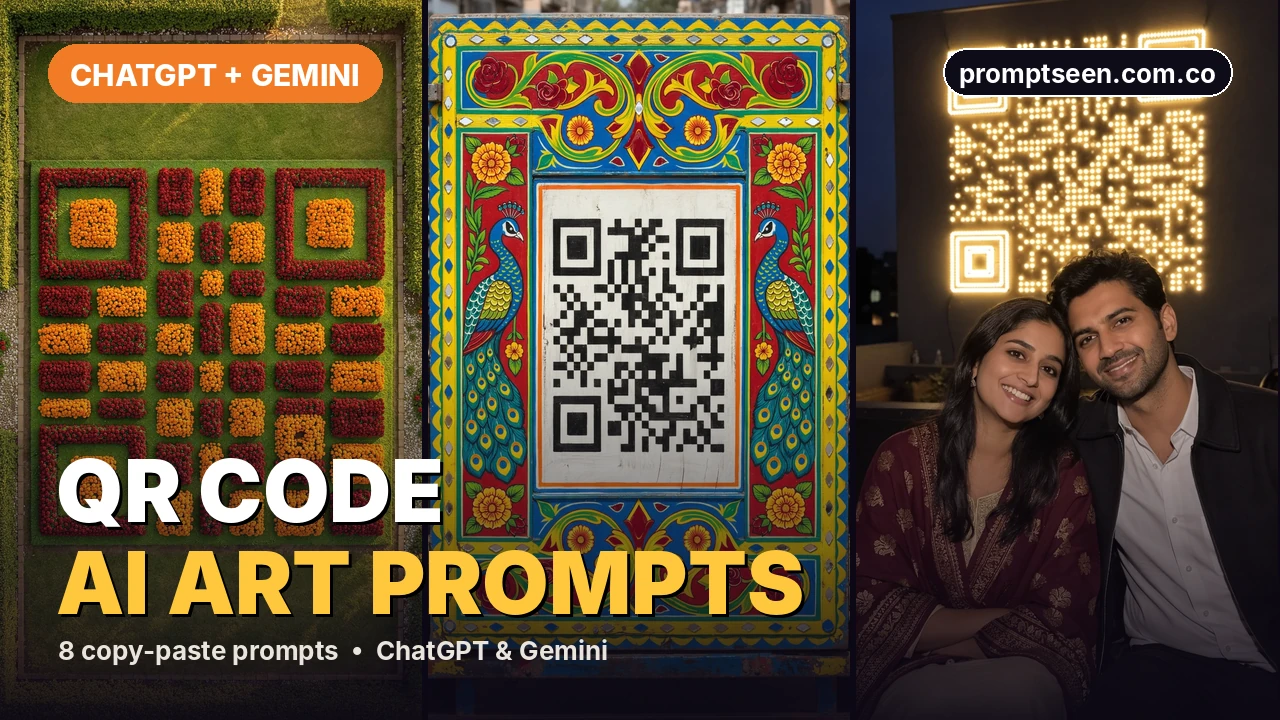
These are 8 free Prompt Seen QR code AI art prompts for ChatGPT and Gemini. Make a plain QR code for your link first, upload it with a prompt, and the AI hides it inside a flower garden, a mehndi design, truck art, city lights or tiles. Always scan the result with your phone before you print or share it.
8 QR Code AI Art Prompts (Copy & Paste)
First make a plain black and white QR code for your link with any free QR code maker. Then tap Copy prompt under any image and paste it into ChatGPT or Google Gemini together with your QR code image. For the couple prompt, also upload one photo of you both.
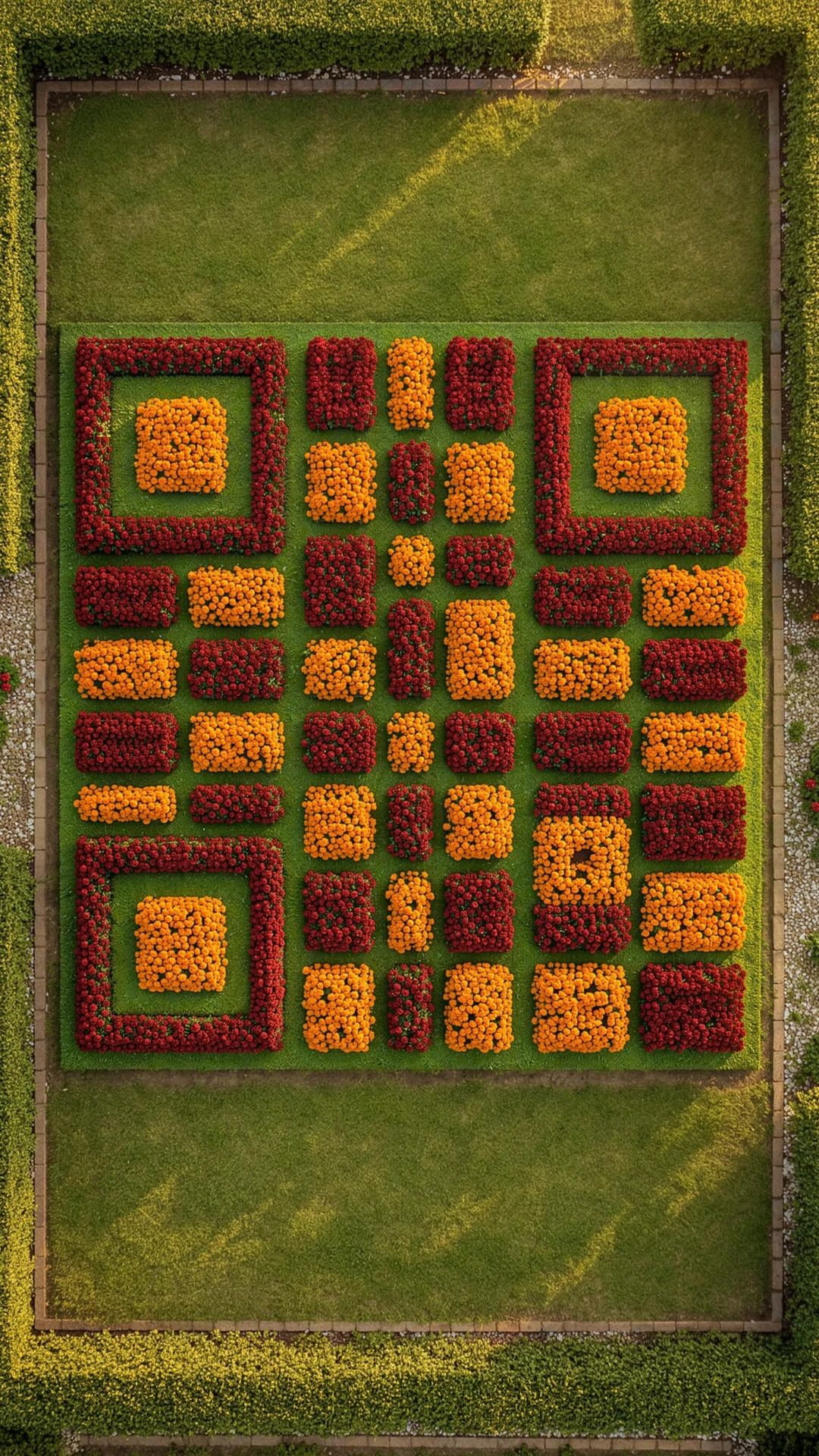
Flower Garden QR Prompt
Your QR code planted as rose and marigold beds, seen from a drone.
Create a realistic drone photo looking straight down at a garden at golden hour. The garden is planted as a giant QR code: the dark squares are beds of deep red roses and the light squares are bright orange marigolds, with thin green grass paths between them. The three big corner squares are clear and easy to see. Warm low sun from one side is the main light, with soft long shadows. Sharp detail, natural colours, full HD. Vertical 9:16, with the code filling the middle of the frame. Use the uploaded QR code image as the exact pattern. Keep every dark and light square, the three big corner squares and the plain white border in the same places, with strong contrast, so the code still scans with a phone camera. No text, no letters, no logos, no watermark, no extra people.
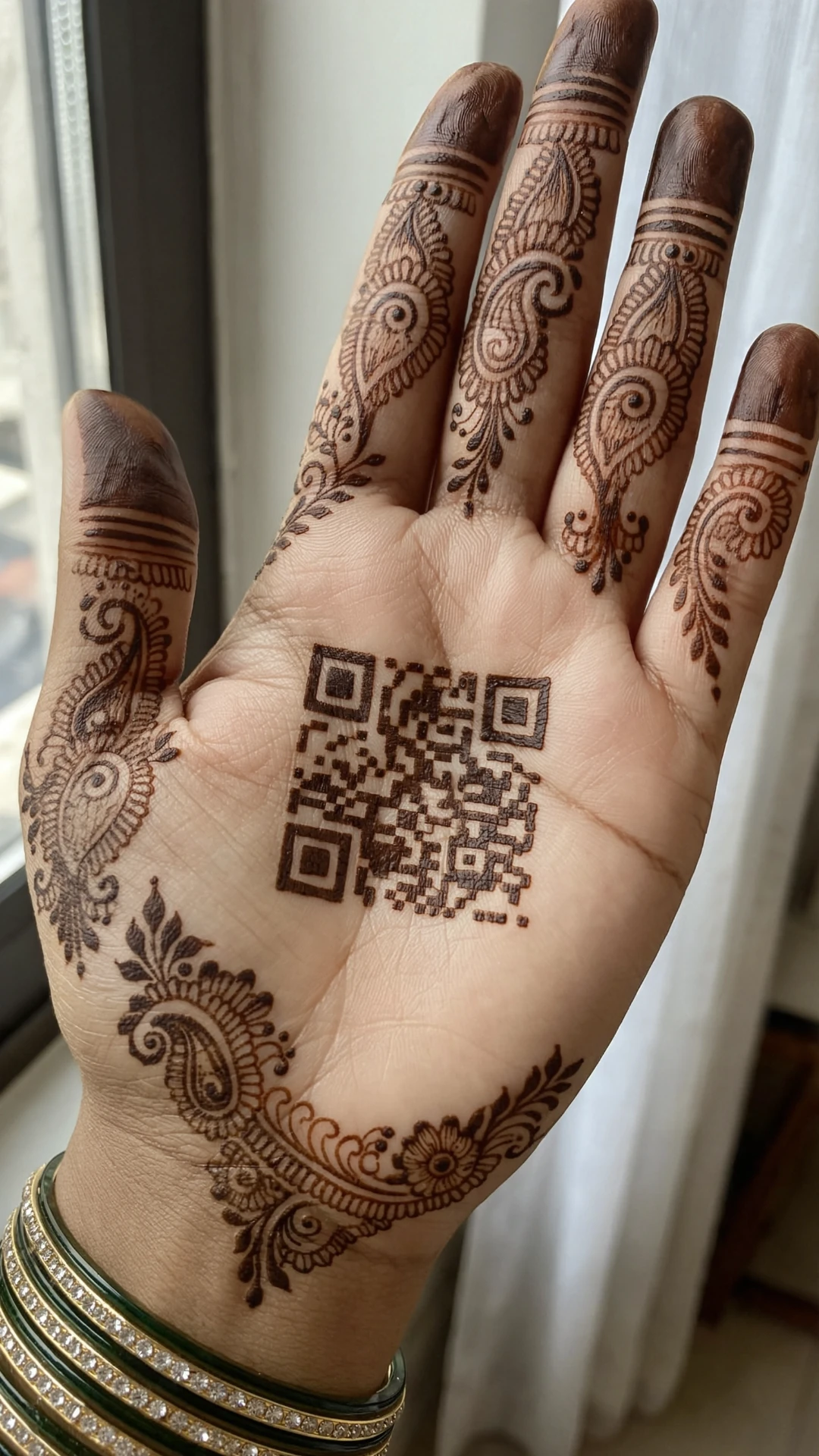
Mehndi Hand QR Prompt
A henna QR code in the middle of a bridal mehndi palm.
Create a realistic close-up phone photo of a woman's open palm with fresh dark brown bridal mehndi. The middle of the palm has a square QR code drawn in henna, with filled dark squares on clean skin. Around it, add fine paisley, flower and vine designs that go up each finger, and a few red and gold glass bangles on the wrist. Soft daylight from a window is the main light. Sharp skin texture and crisp henna lines. Vertical 9:16, with the palm and code in the centre. Use the uploaded QR code image as the exact pattern. Keep every dark and light square, the three big corner squares and the plain white border in the same places, with strong contrast, so the code still scans with a phone camera. No text, no letters, no logos, no watermark, no extra people.
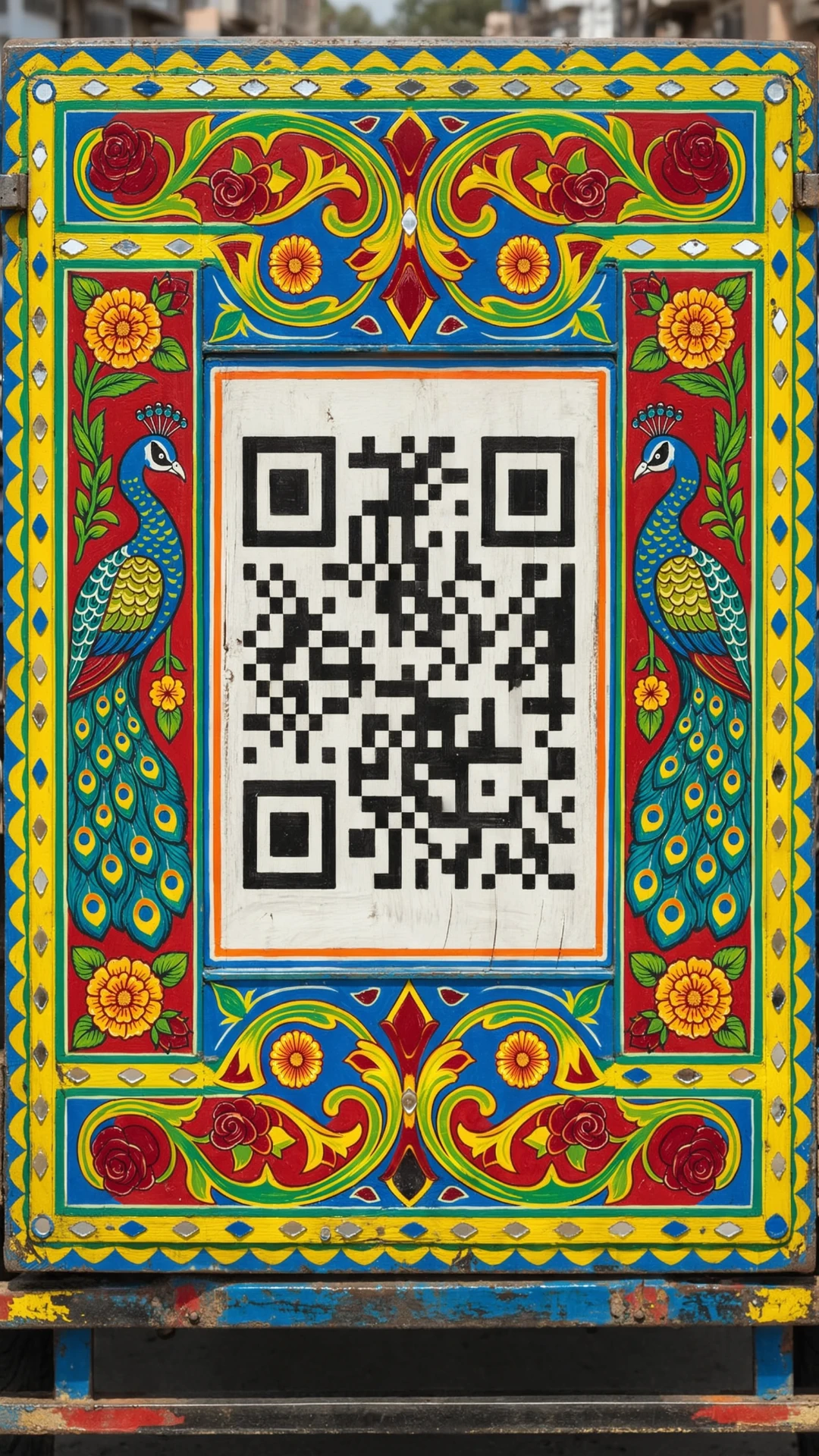
Truck Art QR Prompt
A hand-painted QR code on a colourful truck art panel.
Create a realistic photo of the back panel of a decorated Pakistani truck. The panel has bright hand-painted roses, peacocks, parrots and a border of shiny mirror tiles in red, yellow, green and royal blue. In the middle, the QR code is painted in glossy black and white enamel paint inside a neat frame. Bright afternoon sun is the main light. Sharp detail, real paint texture, full HD. No number plates. Vertical 9:16. Use the uploaded QR code image as the exact pattern. Keep every dark and light square, the three big corner squares and the plain white border in the same places, with strong contrast, so the code still scans with a phone camera. No text, no letters, no logos, no watermark, no extra people.
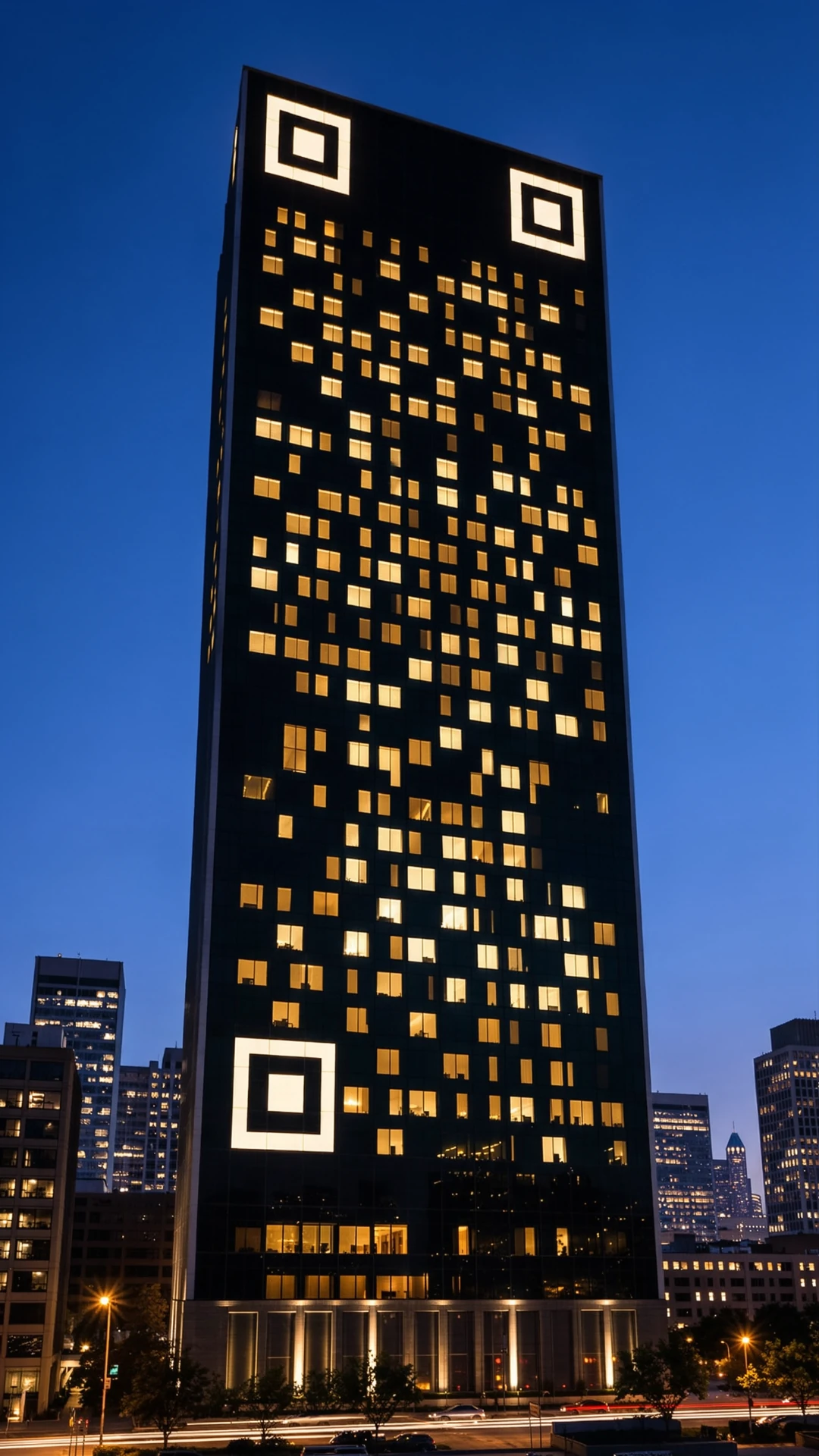
City Lights QR Prompt
Lit and dark windows of a tower form your QR code at night.
Create a realistic night photo of a tall modern apartment tower. Its windows form the QR code: lit windows glow warm white and dark windows stay black, so the pattern is easy to see from far away. Deep blue evening sky, soft city lights and traffic trails on the road below. The warm light from the windows is the main light. Sharp detail, no blur, full HD. Vertical 9:16, with the code in the middle of the building. Use the uploaded QR code image as the exact pattern. Keep every dark and light square, the three big corner squares and the plain white border in the same places, with strong contrast, so the code still scans with a phone camera. No text, no letters, no logos, no watermark, no extra people.
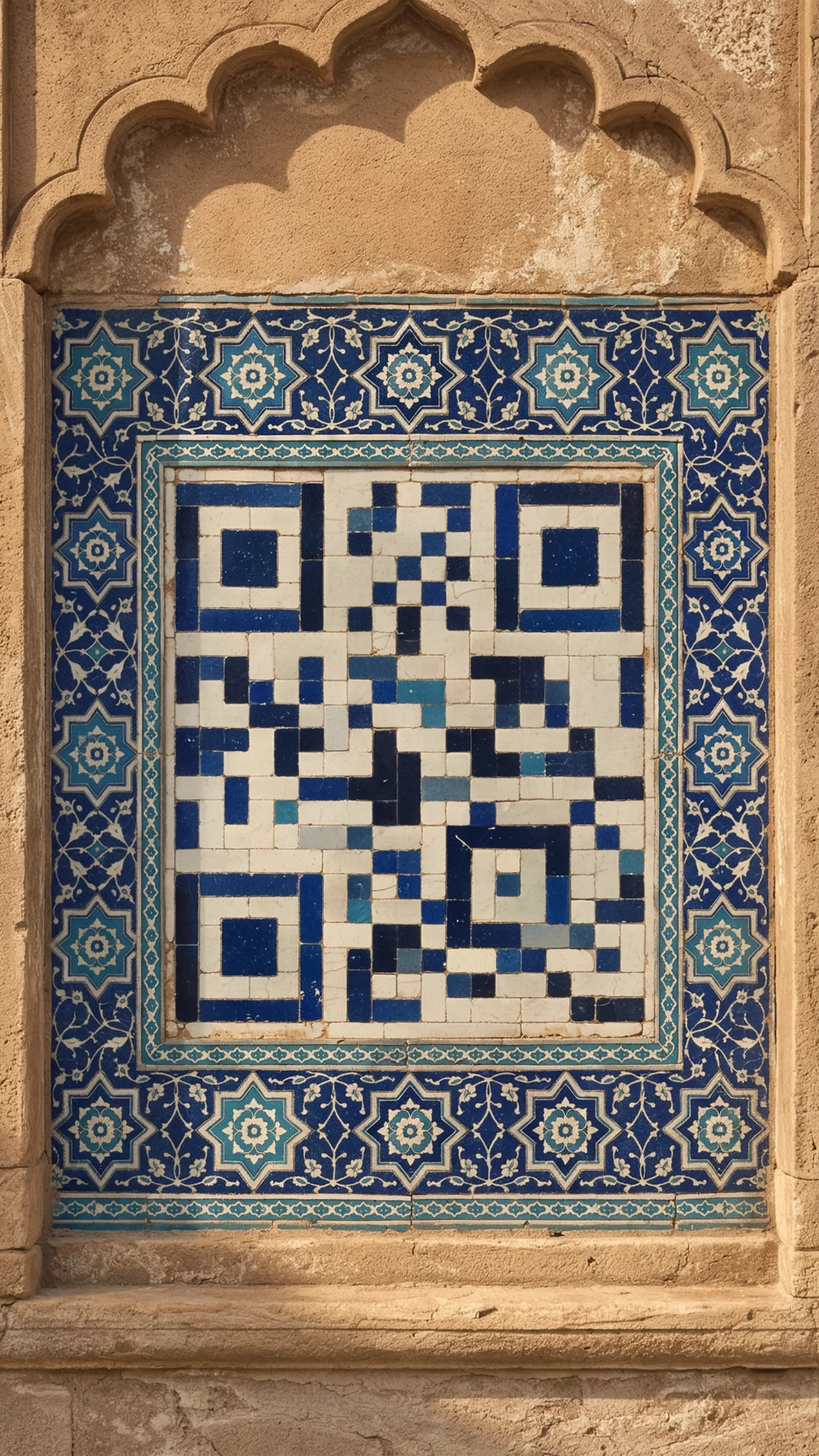
Mosaic Tile QR Prompt
Blue and white glazed tiles set as a QR code in a Mughal courtyard.
Create a realistic photo of a wall of handmade glazed tiles in an old Mughal courtyard. The border has deep blue, turquoise and white star patterns. In the centre, the tiles are set as the QR code, with dark blue tiles for the dark squares and white tiles for the light squares. Soft afternoon daylight is the main light, with a gentle shine on the glaze. Sharp detail, real tile texture, full HD. No calligraphy. Vertical 9:16. Use the uploaded QR code image as the exact pattern. Keep every dark and light square, the three big corner squares and the plain white border in the same places, with strong contrast, so the code still scans with a phone camera. No text, no letters, no logos, no watermark, no extra people.
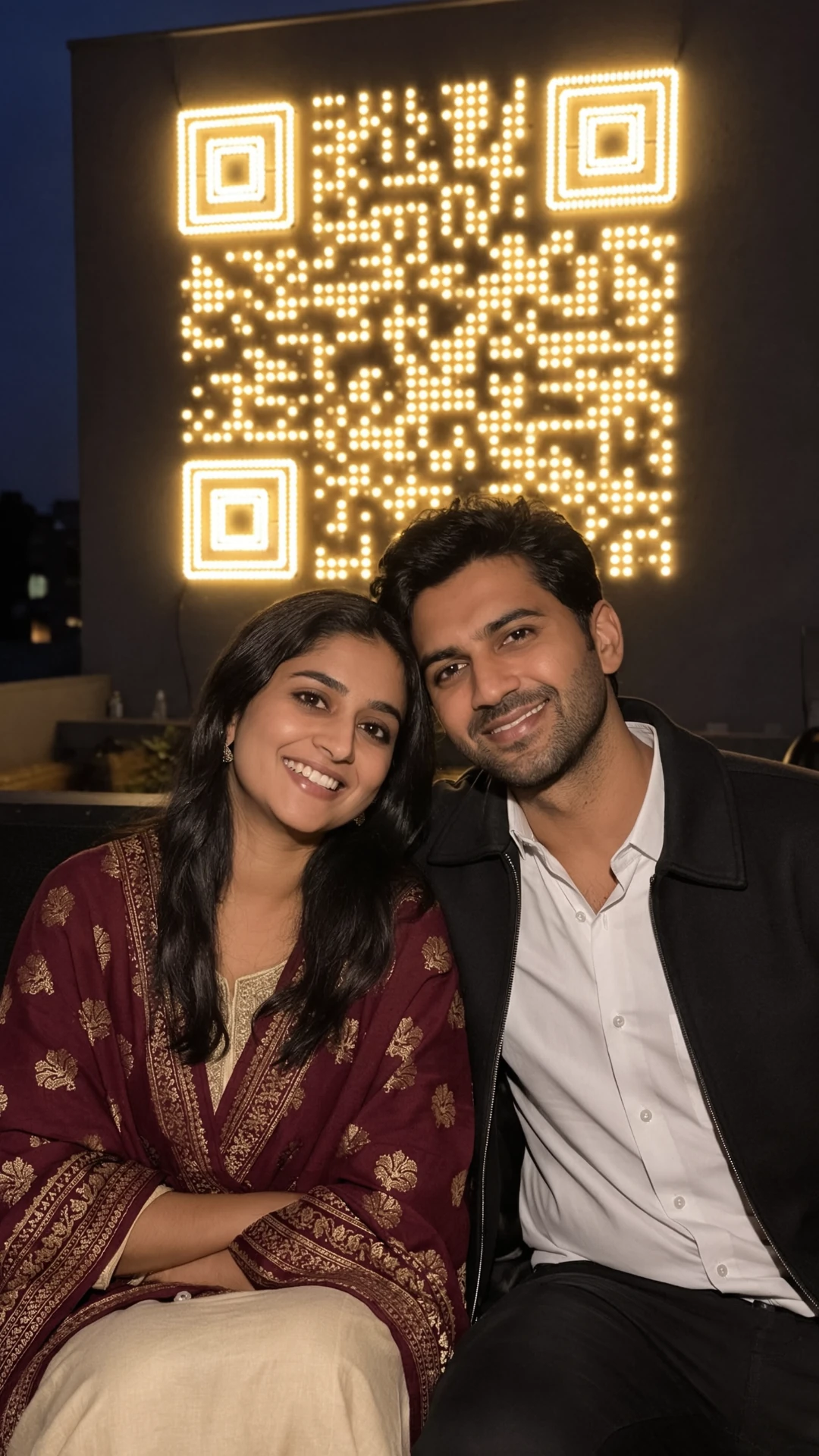
Couple Fairy Lights QR Prompt
A couple on a rooftop with your QR code made of fairy lights behind them.
Create a realistic night phone photo of this couple sitting close together on a rooftop and smiling. She wears a maroon shawl over a cream kurta and he wears a black jacket over a white shirt. Behind them, a wall is covered in small warm fairy lights placed as the QR code, with lit bulbs for the dark squares and a plain dark wall for the light squares. The fairy lights are the main light and give a soft glow on their faces. Sharp faces, natural skin texture, full HD. Vertical 9:16, with the code above their heads. Use the uploaded couple photo as the identity reference and keep both faces, skin tones and hairstyles exactly the same. Do not beautify or change the faces. Use the uploaded QR code image as the exact pattern. Keep every dark and light square, the three big corner squares and the plain white border in the same places, with strong contrast, so the code still scans with a phone camera. No text, no letters, no logos, no watermark.
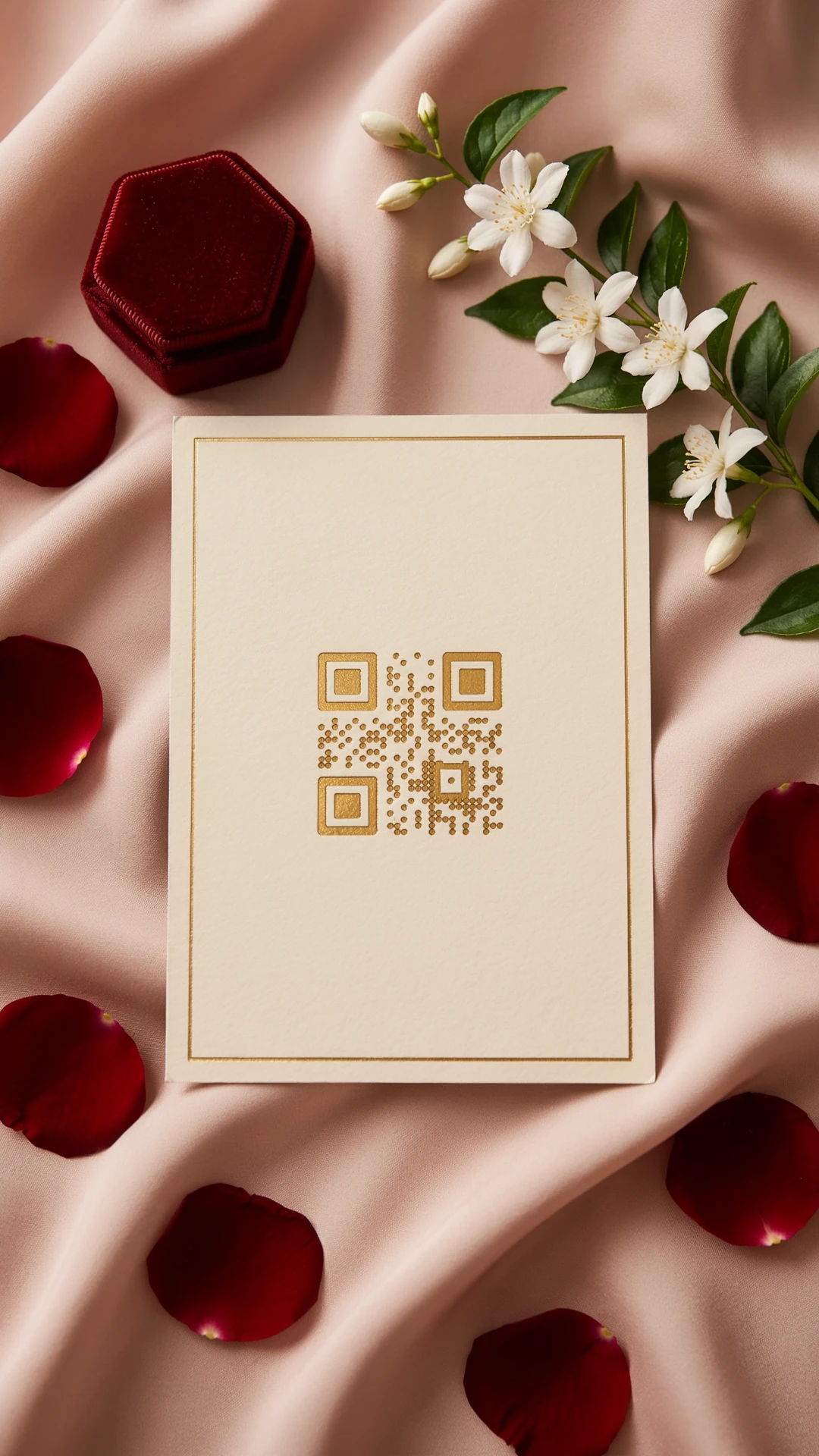
Wedding Card QR Prompt
A gold foil QR code on a cream wedding card with roses.
Create a realistic flat lay photo of a cream wedding invitation card on a soft pink silk cloth. The card has a thin gold border and the QR code pressed in shiny gold foil in the middle, with no other writing on it. Around the card, place a few red rose petals, a small velvet ring box and a sprig of white jasmine. Soft daylight from above is the main light. Sharp detail, real paper texture, full HD. Vertical 9:16. Use the uploaded QR code image as the exact pattern. Keep every dark and light square, the three big corner squares and the plain white border in the same places, with strong contrast, so the code still scans with a phone camera. No text, no letters, no logos, no watermark, no extra people.
Snowy Hills QR Prompt
Pine trees and snow fields form your QR code in a winter valley.
Create a realistic drone photo of a snowy mountain valley in northern Pakistan in winter. On a flat white snow field, dark green pine trees are planted in the shape of the QR code, so the trees are the dark squares and the snow is the light squares. Snowy peaks and a clear blue sky in the background. Bright morning sun is the main light, with clean blue shadows on the snow. Sharp detail, full HD. Vertical 9:16, with the code in the centre. Use the uploaded QR code image as the exact pattern. Keep every dark and light square, the three big corner squares and the plain white border in the same places, with strong contrast, so the code still scans with a phone camera. No text, no letters, no logos, no watermark, no extra people.
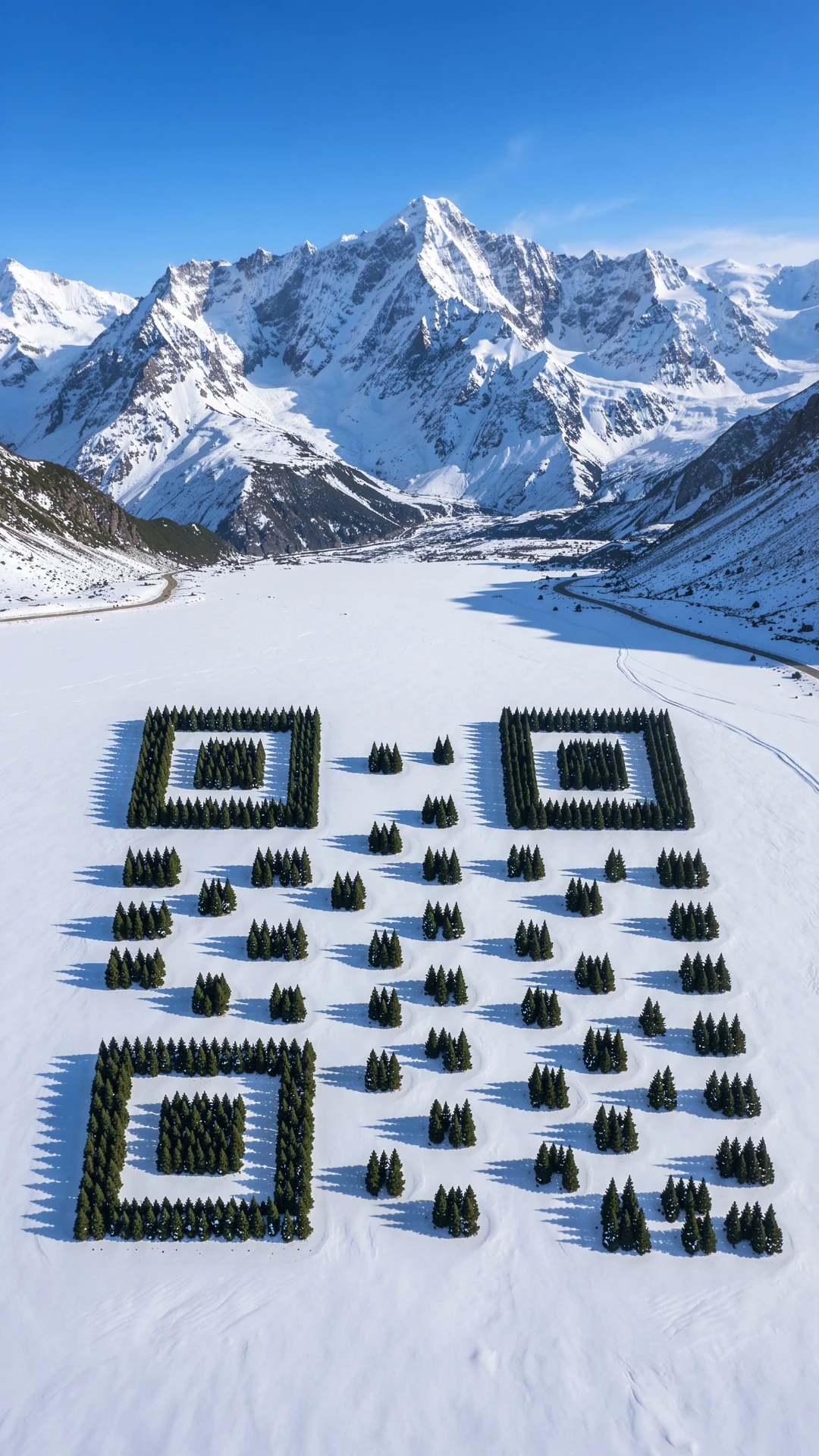
- All 8 QR code AI art prompts are free and work in ChatGPT and Gemini Nano Banana.
- You always upload your own QR code, so the art links to your page, shop or WhatsApp.
- Seven prompts are pure QR art, and one puts a couple in front of a fairy light QR code.
- AI can move a few squares by mistake, so scan every result with your phone before you use it.
QR Code AI Art Prompts Compared
| Prompt | Best for | Main light | Photos to upload |
|---|---|---|---|
| 1. Flower Garden QR | Instagram post | Golden hour sun | QR code only |
| 2. Mehndi Hand QR | Wedding story | Window daylight | QR code only |
| 3. Truck Art QR | Shop poster | Afternoon sun | QR code only |
| 4. City Lights QR | Event poster | Window glow | QR code only |
| 5. Mosaic Tile QR | Cafe menu | Soft daylight | QR code only |
| 6. Couple Fairy Lights QR | Couple post | Fairy lights | QR code + couple photo |
| 7. Wedding Card QR | Digital invite | Daylight from above | QR code only |
| 8. Snowy Hills QR | Travel page | Morning sun | QR code only |
How to Use QR Code Prompts in ChatGPT or Gemini
- Make a plain QR code for your link with a free QR code maker. Choose the highest error correction (often called level H) if the maker offers it.
- Save the QR code as a clear PNG image.
- Open ChatGPT or the Google Gemini app and start a new chat.
- Upload the QR code image. For the couple prompt, upload your couple photo too.
- Tap Copy prompt, paste the full prompt into the same message and send it.
- Scan the new image with your phone camera. If it does not open your link, reply "make the dark squares darker and the light squares lighter" and try again.
Tips for Better QR Code AI Art
- Keep your link short. A short link makes a simpler QR code with bigger squares, and the AI keeps it better.
- Level H error correction lets a QR code still scan even when part of it is covered, so it gives the art more room.
- Do not ask for a dark code on a dark background. Strong contrast between dark and light squares matters more than colour.
- If ChatGPT or Gemini will not keep the pattern, try again in a new chat or use a tool made for QR code art, then use our prompt text as the style description.
- Test the final image on two or three phones before you print it on a card, menu or poster.
Why QR Code AI Art Is Trending
A normal QR code is plain black and white squares. QR code AI art hides that same pattern inside a picture, like flowers, tiles or city lights, so people want to look at it and scan it. Shops, cafes, wedding cards and Instagram pages now use these images, and people search "prompt seen qr code" to find prompts they can copy.
The Truck Art QR prompt pairs well with our truck art portrait prompts if you want a full Pakistani folk art set. If you liked the rooftop scene, there are many more romantic couple prompts for ChatGPT and Gemini to try.
Conclusion
Make a plain QR code, upload it with one of these 8 prompts and scan the result before you share it. Change the flowers, colours or place in the prompt to match your shop, event or page.
For a new prompt list every day, keep an eye on Prompt Seen and try the next trend as soon as it lands.
QR Code AI Art Prompts: FAQs
What are Prompt Seen QR code AI art prompts?
They are ready text prompts you paste into ChatGPT or Gemini together with your own QR code image. The AI then turns the plain code into a picture, like a flower garden, mehndi design or truck art panel, that can still be scanned.
Will the AI QR code still scan?
Often yes, but not always. Image AI can move or blur a few squares. Always scan the result with your phone. If it fails, ask for stronger contrast, use a shorter link, or make the code again with high error correction.
Can Gemini Nano Banana make QR code art?
Yes. Upload your QR code in the Gemini app, paste the prompt and send it. The same prompts also work in ChatGPT.
Can I make a QR code for my WhatsApp or Instagram?
Yes. Copy your WhatsApp chat link or Instagram profile link, make a plain QR code from it with a free QR code maker, then upload that code with any prompt on this page.
Are these QR code prompts free?
Yes. All 8 prompts are free to copy. ChatGPT and Gemini both have free image limits, and paid plans give you more images per day.