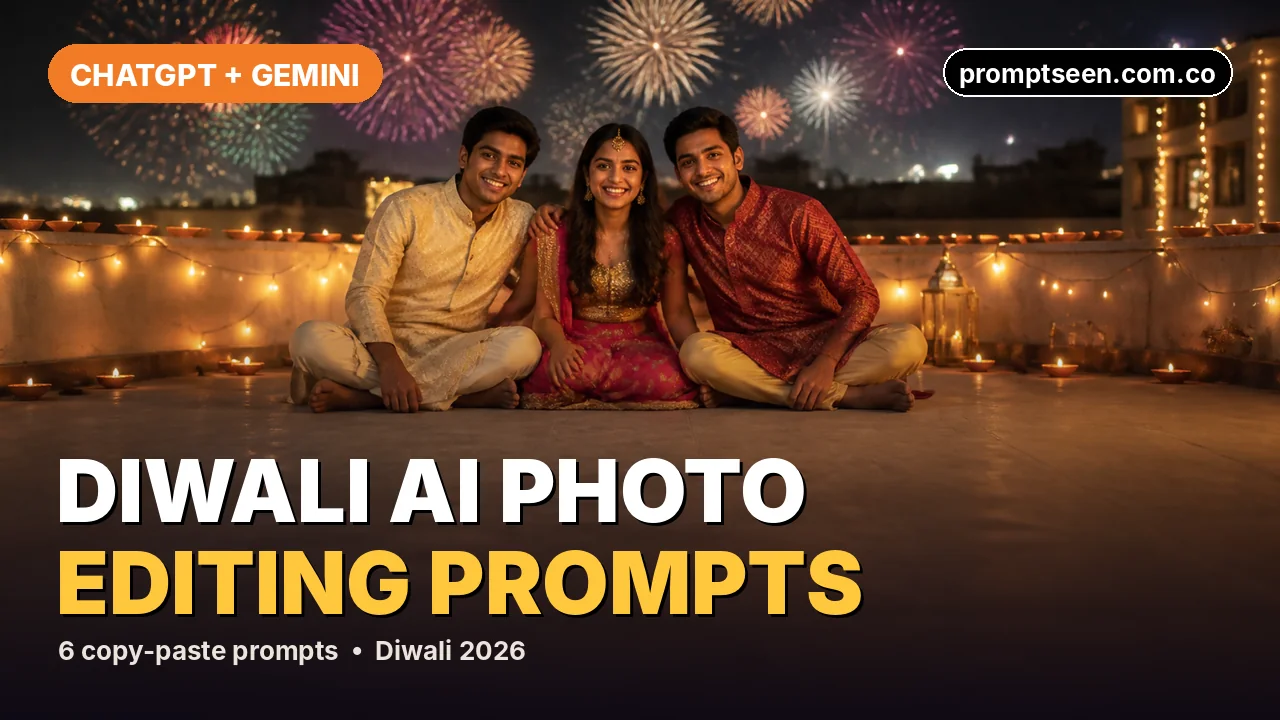
These are six free, copy-paste Diwali AI photo editing prompts for ChatGPT and Gemini. Upload one clear photo, paste a prompt and you get a realistic festive picture. Pick from fireworks on the street, diyas and rangoli, a sparkler portrait, a rooftop couple shot, a doorstep diya scene or a family puja. Every prompt tells the AI to keep your real face, so the result still looks like you.
6 Diwali AI Photo Editing Prompts (Copy & Paste)
Each prompt is written in JSON, the format that is trending for ChatGPT and Gemini photo edits because it keeps every detail in its own field. Tap Copy prompt, upload your photo, and paste the whole block.
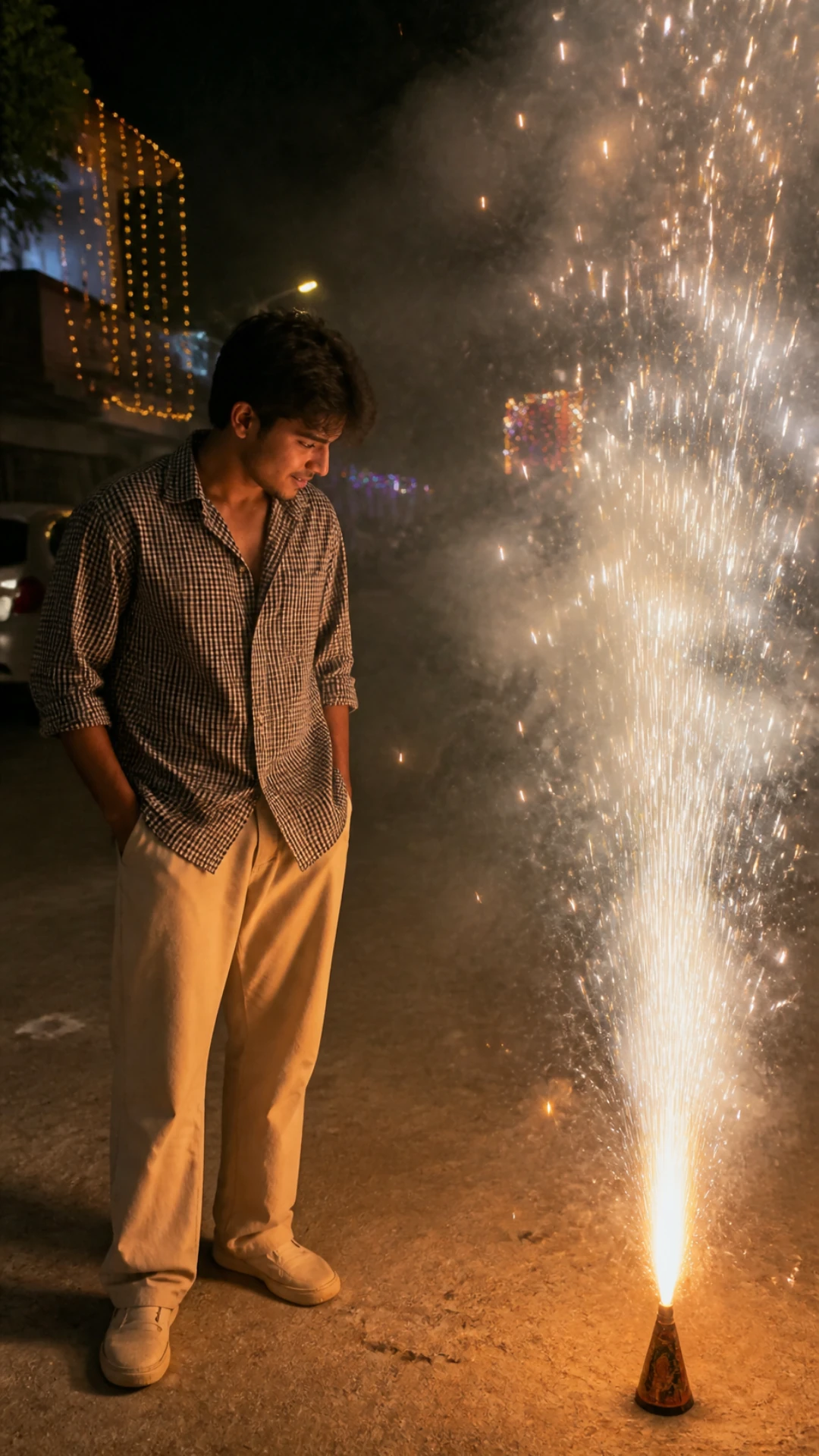
Fountain Firework Street Portrait Prompt
A candid night shot beside a tall golden fountain firework, lit only by the sparks.
{ "type": "Ultra-realistic night photograph, Diwali", "reference_image": "Use the uploaded photo as the identity reference. Keep the exact face, facial structure, skin tone, hairstyle and body proportions. Do not beautify, slim or change the face.", "subject": "Young man standing on a quiet residential street, body turned slightly toward a tall golden fountain firework on the ground, head tilted down, watching the sparks", "outfit": "Black-and-white small-check oversized shirt with rolled sleeves, loose beige trousers, white sneakers", "lighting": "Warm golden light from the firework is the main light on his face and shirt; dark night everywhere else", "background": "Houses decorated with string lights, light smoke haze, a few distant sparkles", "camera": "Phone camera look, 26 mm, eye level, natural grain, shallow depth of field", "format": "Vertical 9:16, 4K detail", "avoid": "No text, no logos, no watermark, no extra people, no distorted hands, no plastic skin, no cartoon look." }
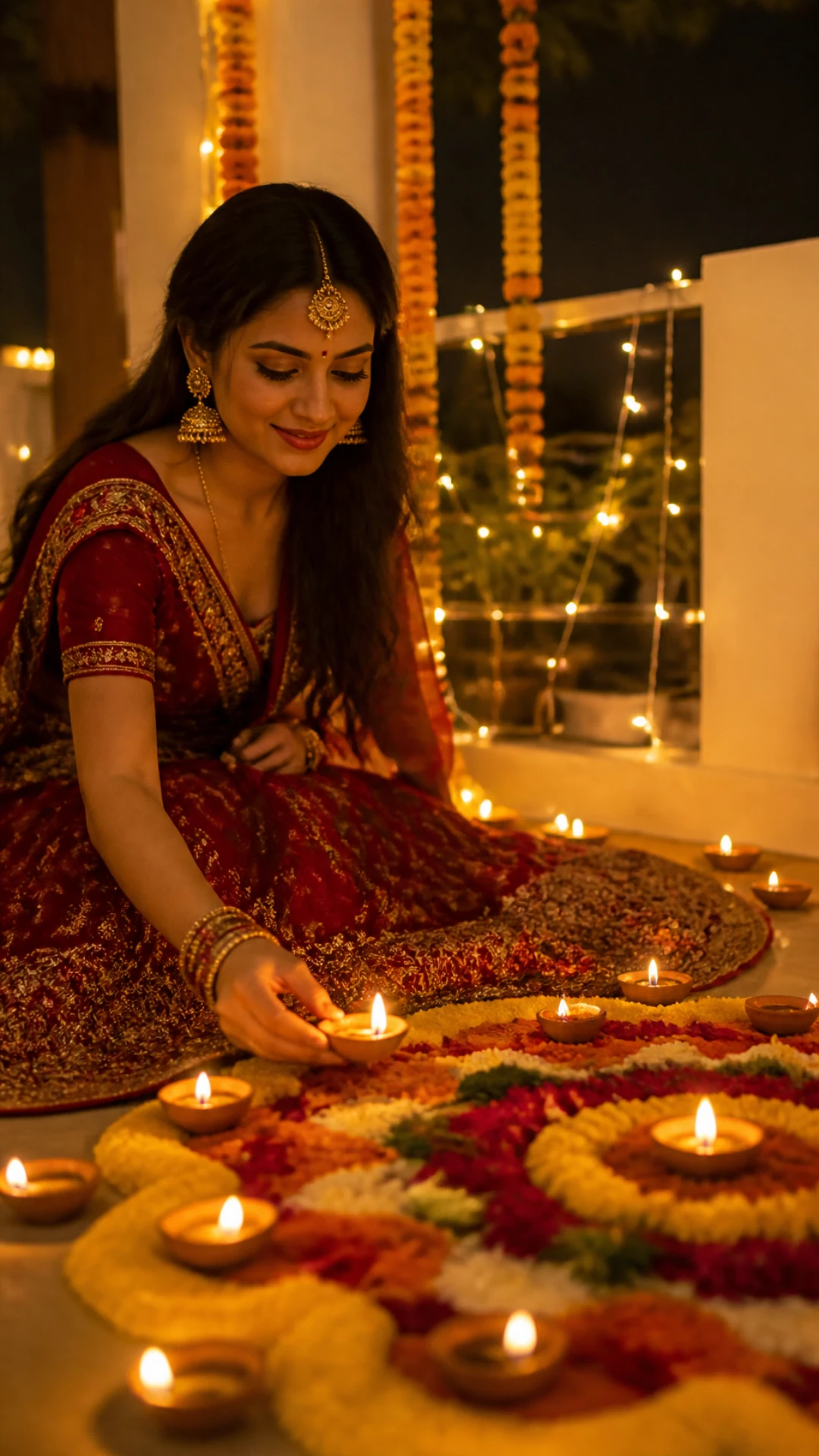
Diya And Rangoli Portrait Prompt
Placing a diya on a flower rangoli in a red lehenga, surrounded by candlelight.
{ "type": "Ultra-realistic festive portrait, Diwali night at home", "reference_image": "Use the uploaded photo as the identity reference. Keep the exact face, facial structure, skin tone, hairstyle and body proportions. Do not beautify, slim or change the face.", "subject": "Young woman sitting on the courtyard floor, gently placing a lit clay diya next to a round marigold and rose-petal rangoli, soft smile, eyes on the diya", "outfit": "Deep red embroidered lehenga with gold border, maang tikka, jhumkas and gold bangles", "lighting": "Dozens of diyas around her give warm golden candlelight from below; soft fairy lights behind", "background": "Marigold garlands, white walls, out-of-focus string lights", "camera": "50 mm portrait lens look, slightly above eye level, creamy bokeh", "format": "Vertical 9:16, 4K detail", "avoid": "No text, no logos, no watermark, no extra people, no distorted hands, no plastic skin, no cartoon look." }
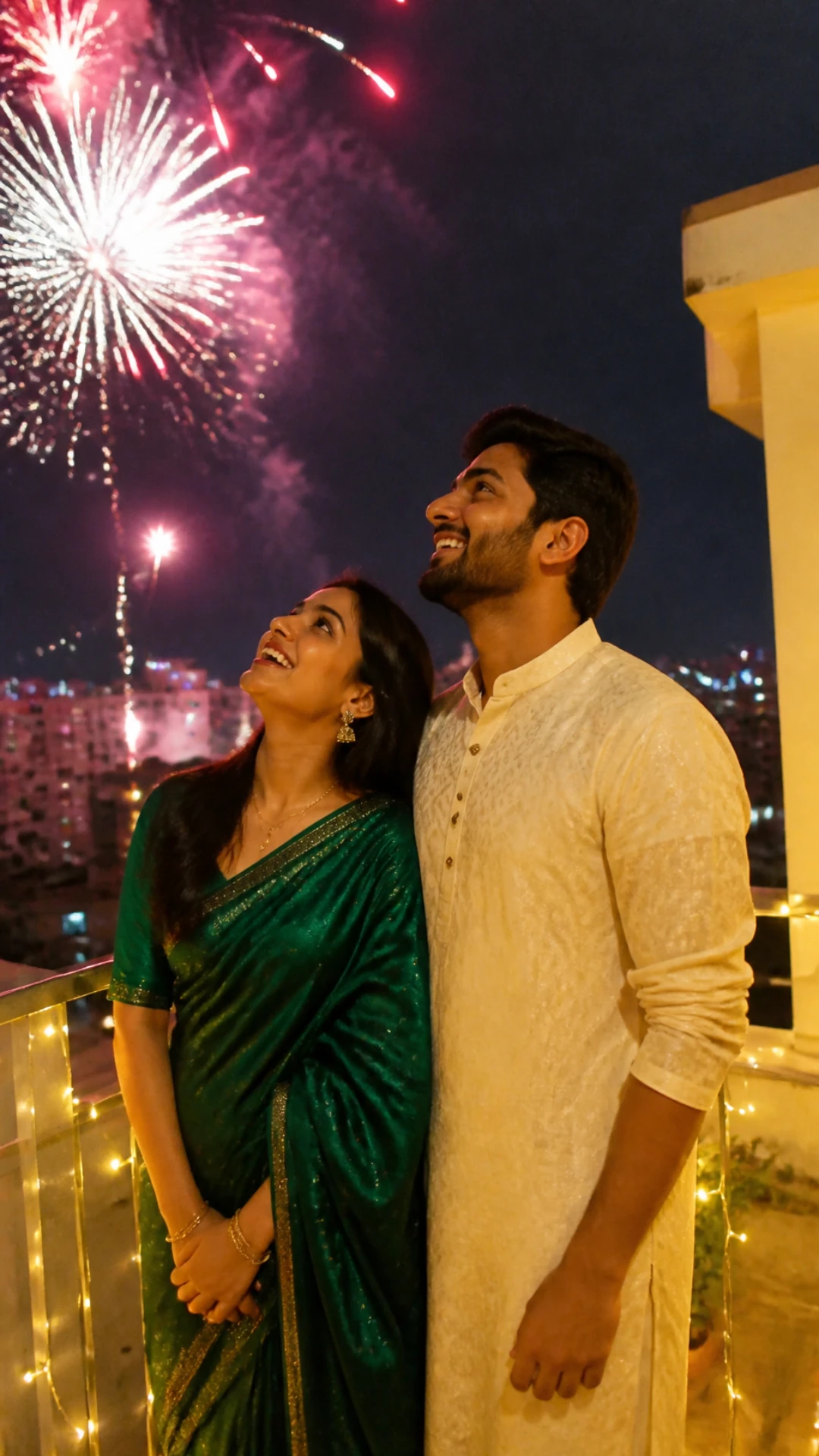
Rooftop Fireworks Couple Prompt
A couple on a terrace looking up at fireworks, with fairy lights on the railing.
{ "type": "Ultra-realistic candid couple photograph, Diwali night", "reference_image": "Use the two uploaded photos as identity references for the two people. Keep both faces, skin tones, hairstyles and their height difference exactly. Do not beautify.", "subject": "Couple standing close together on a rooftop terrace, both smiling and looking up at colourful fireworks over the city", "outfit": "Woman in an emerald green silk saree; man in a cream chikankari kurta", "lighting": "Warm fairy lights wrapped on the railing light their faces; fireworks add pink and gold highlights", "background": "Night city skyline with fireworks bursting in the sky", "camera": "Phone camera look, low angle, natural grain", "format": "Vertical 9:16, 4K detail", "avoid": "No text, no logos, no watermark, no extra people, no distorted hands, no plastic skin, no cartoon look." }
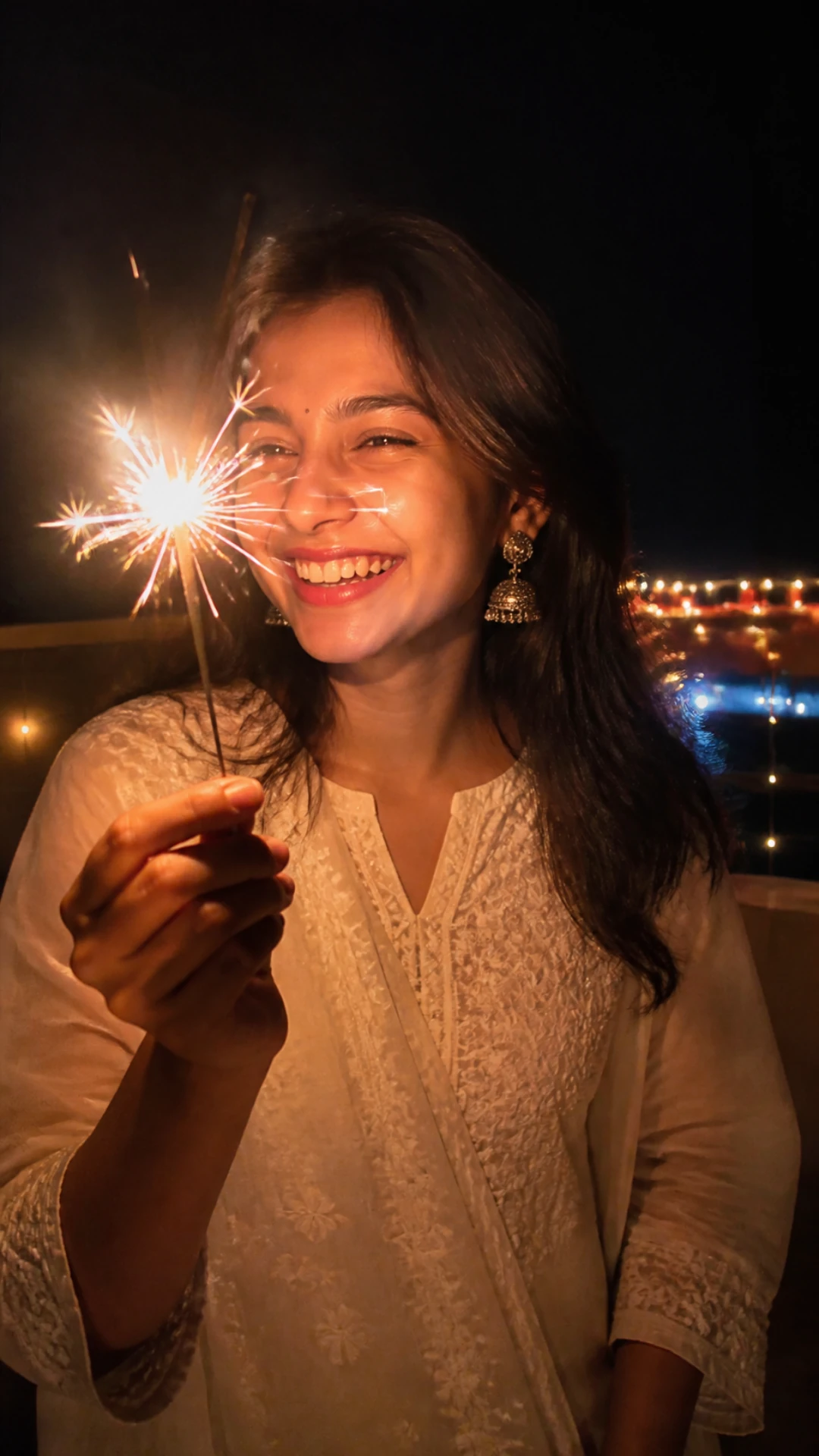
Sparkler Close-Up Prompt
A laughing close-up with a phuljhadi lighting the face, ideal for a profile picture.
{ "type": "Ultra-realistic close-up portrait, Diwali night", "reference_image": "Use the uploaded photo as the identity reference. Keep the exact face, facial structure, skin tone, hairstyle and body proportions. Do not beautify, slim or change the face.", "subject": "Young woman holding a burning sparkler (phuljhadi) near her face, laughing naturally", "outfit": "Ivory chikankari kurta, silver jhumkas", "lighting": "The sparkler is the only key light: bright warm sparks on one side of the face, soft falloff into shadow", "background": "Dark balcony with blurred city lights and a few diyas", "camera": "35 mm lens look, chest-up framing, slight motion trails on the sparks", "format": "Vertical 9:16, keep the face centred for a circular DP crop", "avoid": "No text, no logos, no watermark, no extra people, no distorted hands, no plastic skin, no cartoon look." }
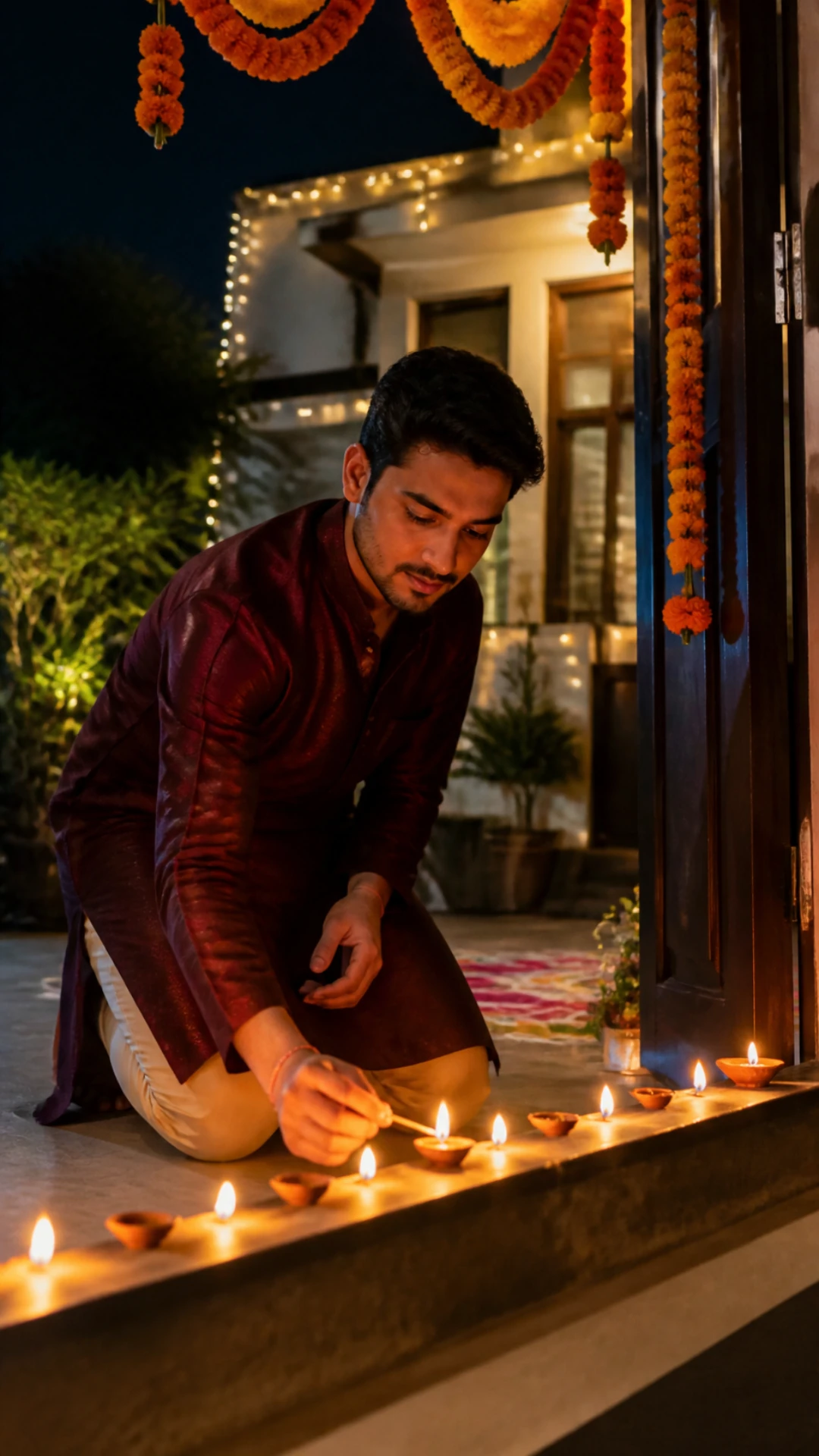
Lighting Diyas At The Doorstep Prompt
Kneeling at the front door, lighting a row of diyas under a marigold toran.
{ "type": "Ultra-realistic festive photograph, Diwali evening", "reference_image": "Use the uploaded photo as the identity reference. Keep the exact face, facial structure, skin tone, hairstyle and body proportions. Do not beautify, slim or change the face.", "subject": "Young man kneeling at the doorstep of his house, lighting a row of clay diyas with a matchstick, calm focused expression", "outfit": "Maroon silk kurta with white pyjama", "lighting": "Flickering diya light on his face and hands; warm glow from the open door behind him", "background": "Marigold toran above the door, small rangoli at the entrance, fairy lights", "camera": "Phone camera look, eye level with the diyas, shallow depth of field", "format": "Vertical 9:16, 4K detail", "avoid": "No text, no logos, no watermark, no extra people, no distorted hands, no plastic skin, no cartoon look." }
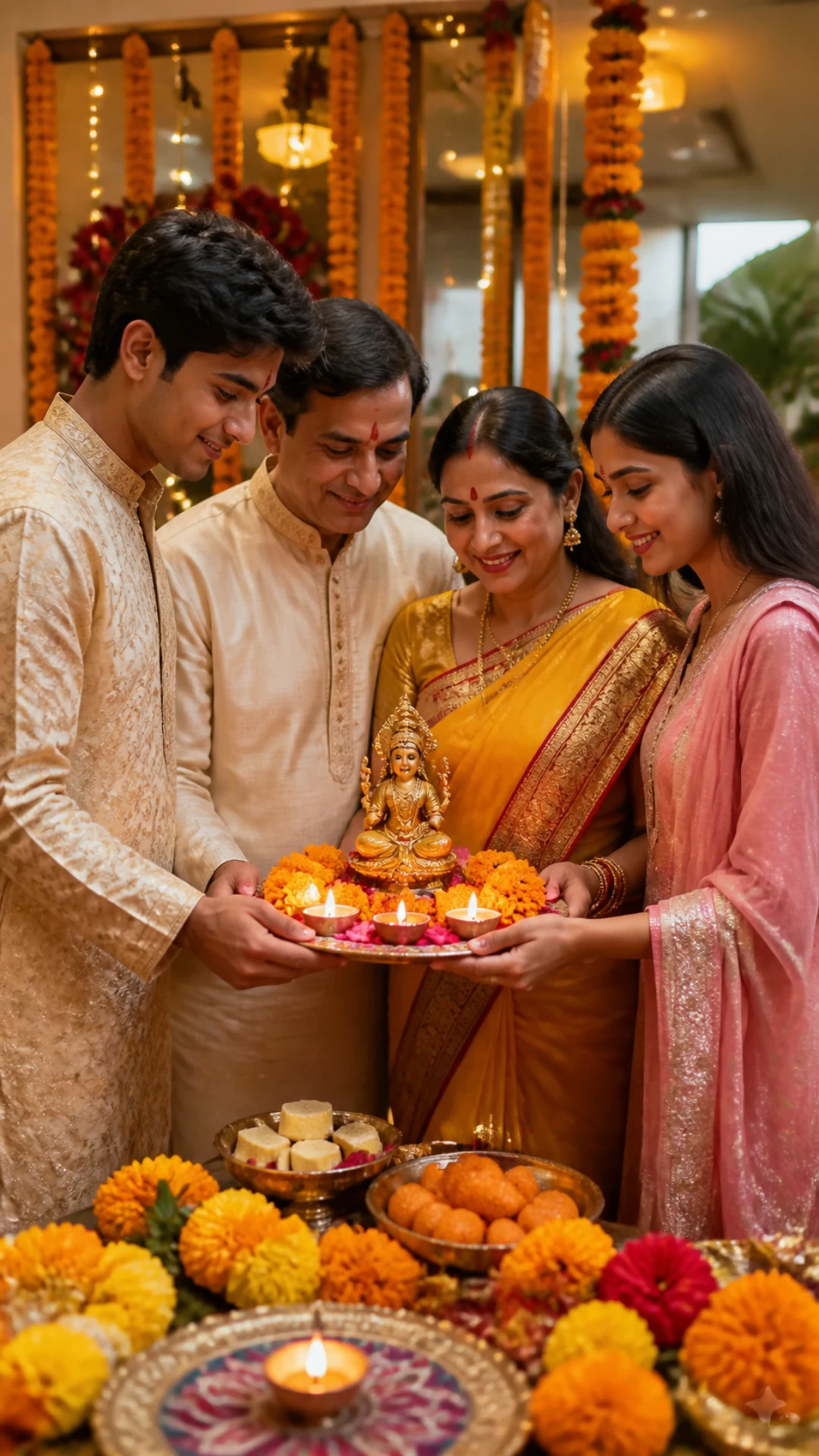
Family Lakshmi Puja Prompt
Parents and children around a decorated puja thali, in warm lamp light.
{ "type": "Ultra-realistic family photograph, Diwali Lakshmi puja at home", "reference_image": "Use the uploaded family photo as the identity reference. Keep every face, skin tone, age and height exactly as in the photo. Do not add or remove people.", "subject": "Family standing together around a decorated puja thali with diyas, flowers and sweets, smiling naturally", "outfit": "Traditional festive clothes: sarees, kurtas and lehengas in warm colours", "lighting": "Warm golden lamp light from the diyas and a brass lamp", "background": "Home puja corner with marigold garlands and soft string lights", "camera": "35 mm lens look, eye level, everyone in sharp focus", "format": "Vertical 9:16, 4K detail", "avoid": "No text, no logos, no watermark, no extra people, no distorted hands, no plastic skin, no cartoon look." }
- All six prompts are free and work in ChatGPT and Google Gemini (Nano Banana).
- Each prompt includes an identity line, so the AI keeps your real face.
- Every prompt names one main light source (fireworks, diyas or a sparkler), which is what makes the result look real.
- All prompts are set to a vertical 9:16 frame for Instagram Stories, Reels and WhatsApp status.
Diwali Photo Prompts Compared
| Prompt | Best for | Main light | Photos to upload |
|---|---|---|---|
| 1. Fountain firework | Boys, street style | Firework sparks | 1 solo photo |
| 2. Diya and rangoli | Girls, traditional | Diyas | 1 solo photo |
| 3. Rooftop couple | Couples | Fairy lights and fireworks | 2 photos, one per person |
| 4. Sparkler close-up | Instagram DP | Sparkler | 1 close-up photo |
| 5. Doorstep diyas | Boys, traditional | Diyas | 1 solo photo |
| 6. Family puja | Family | Diyas and brass lamp | 1 group photo |
How to Edit Your Diwali Photo with ChatGPT or Gemini
- Choose a clear, well-lit photo where your face is sharp and not covered.
- Open ChatGPT or Google Gemini and start a new chat.
- Upload your photo (two photos for the couple prompt, one group photo for the family prompt).
- Copy the full JSON prompt with the Copy prompt button and paste it into the chat.
- Send it, then ask for small changes such as "make the lehenga gold" or "add more fireworks".
- Download the image in the highest quality and post it before Diwali night.
Tips for a More Realistic Diwali Edit
- Use a front-facing photo taken in daylight; dark or blurry selfies lose your face details.
- Keep the "reference_image" line in the prompt. Removing it is the main reason faces change.
- Change only one field at a time (outfit, background or light) so the rest of the look stays the same.
- If skin looks too smooth, add "visible skin pores and natural texture" to the prompt.
- For couples, upload both photos in the same message, then paste the prompt.
Why Use AI for Your Diwali Photos
Getting a good Diwali photo at night is hard: phone cameras struggle with dark scenes, fireworks move fast and someone always blinks. An AI photo edit fixes all of that. You keep your real face, and the prompt handles the lighting, outfit and festive background.
It also lets you try looks you could not shoot easily, such as a rooftop fireworks scene or a full rangoli setup, in under a minute and without a photographer.
Conclusion
Pick the prompt that matches your photo, keep the line about your face, and change the outfit or colours to make it yours. Happy Diwali!
For more festival looks, see our Dussehra couple photo prompts, or browse every style on Prompt Seen.
Diwali AI Photo Prompts: FAQs
Are these Diwali AI photo prompts free?
Yes. All six prompts are free to copy and use. You only need a ChatGPT or Gemini account.
Will the AI keep my face the same?
Each prompt tells the AI to keep your exact face, skin tone and hairstyle. Use a clear, front-facing photo for the best likeness.
Do these prompts work in Gemini Nano Banana?
Yes. Upload your photo in Gemini, paste the prompt and send it. The JSON format works in both Gemini and ChatGPT.
Can I use these prompts without uploading a photo?
Yes. Delete the reference_image line and the AI will create a new person in the same Diwali scene.
When is Diwali in 2026?
Diwali (Lakshmi Puja) falls on Sunday, 8 November 2026.