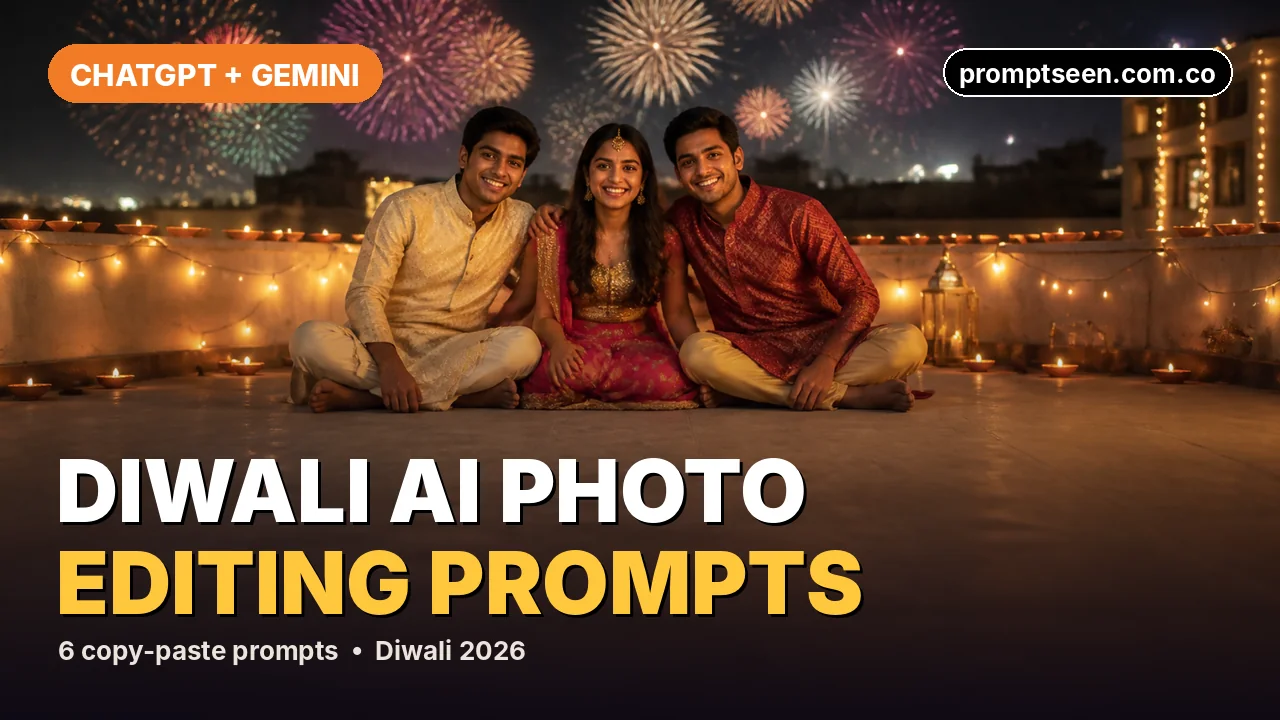
ये ChatGPT और Gemini के लिए छह फ्री, कॉपी-पेस्ट वाले दिवाली AI फोटो एडिटिंग प्रॉम्प्ट हैं। एक साफ फोटो अपलोड करें, प्रॉम्प्ट पेस्ट करें और त्योहार वाली असली जैसी फोटो तैयार। सड़क पर आतिशबाज़ी, दीये और रंगोली, फुलझड़ी वाला पोर्ट्रेट, छत पर कपल शॉट, दरवाज़े पर दीये या फैमिली पूजा, जो पसंद हो चुनें। हर प्रॉम्प्ट AI से आपका असली चेहरा वैसा ही रखने को कहता है, ताकि फोटो में आप ही दिखें।
6 दिवाली AI फोटो एडिटिंग प्रॉम्प्ट (कॉपी-पेस्ट)
हर प्रॉम्प्ट JSON में लिखा है। ChatGPT और Gemini फोटो एडिट के लिए यही फॉर्मेट ट्रेंड में है, क्योंकि इसमें हर डिटेल अपनी अलग जगह पर रहती है। Copy prompt दबाएं, अपनी फोटो अपलोड करें और पूरा ब्लॉक पेस्ट कर दें।
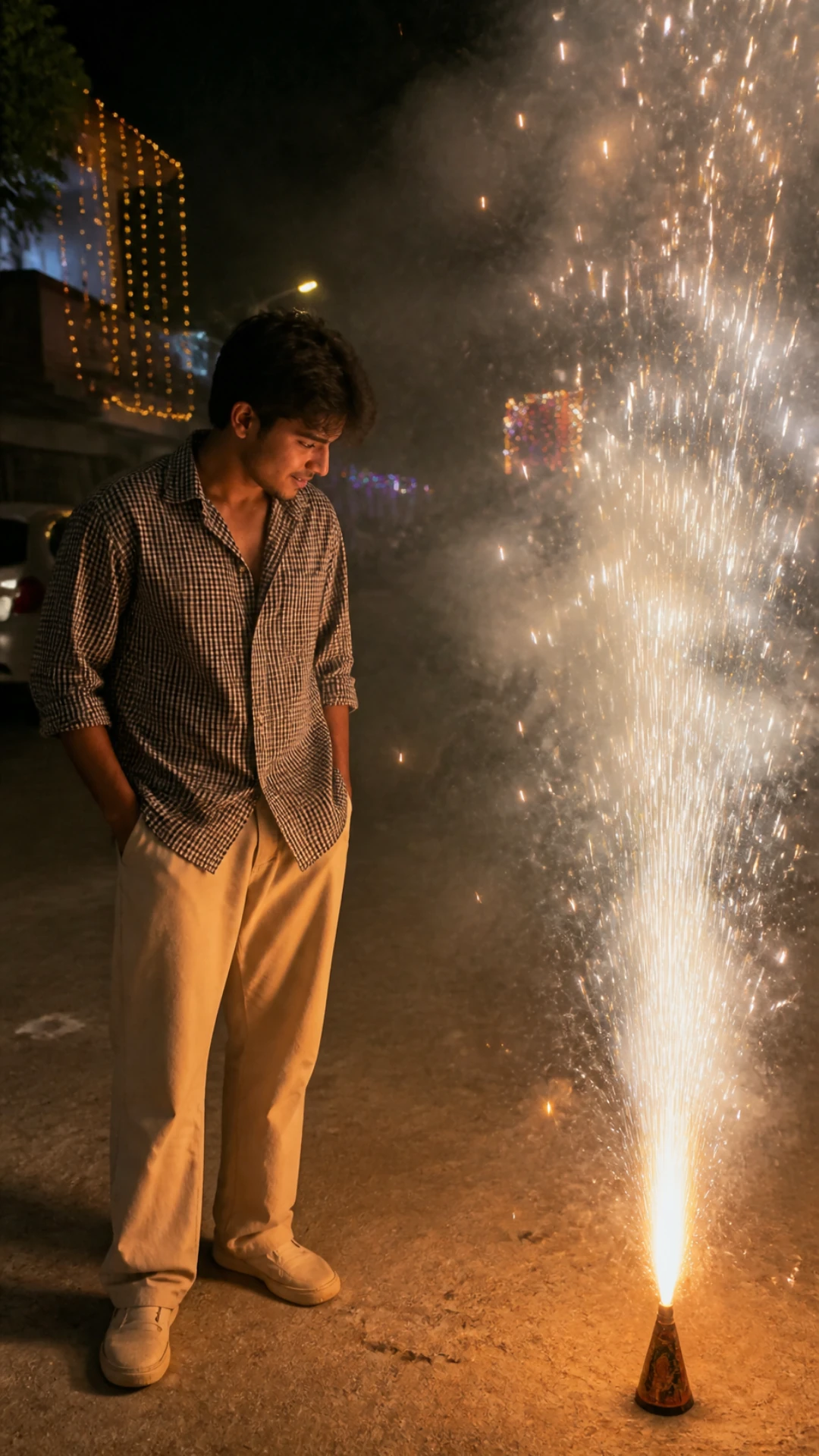
सड़क पर अनार के साथ पोर्ट्रेट
ऊंचे सुनहरे अनार के पास रात का एक कैंडिड शॉट, सिर्फ चिंगारियों की रोशनी में।
{ "type": "Ultra-realistic night photograph, Diwali", "reference_image": "Use the uploaded photo as the identity reference. Keep the exact face, facial structure, skin tone, hairstyle and body proportions. Do not beautify, slim or change the face.", "subject": "Young man standing on a quiet residential street, body turned slightly toward a tall golden fountain firework on the ground, head tilted down, watching the sparks", "outfit": "Black-and-white small-check oversized shirt with rolled sleeves, loose beige trousers, white sneakers", "lighting": "Warm golden light from the firework is the main light on his face and shirt; dark night everywhere else", "background": "Houses decorated with string lights, light smoke haze, a few distant sparkles", "camera": "Phone camera look, 26 mm, eye level, natural grain, shallow depth of field", "format": "Vertical 9:16, 4K detail", "avoid": "No text, no logos, no watermark, no extra people, no distorted hands, no plastic skin, no cartoon look." }
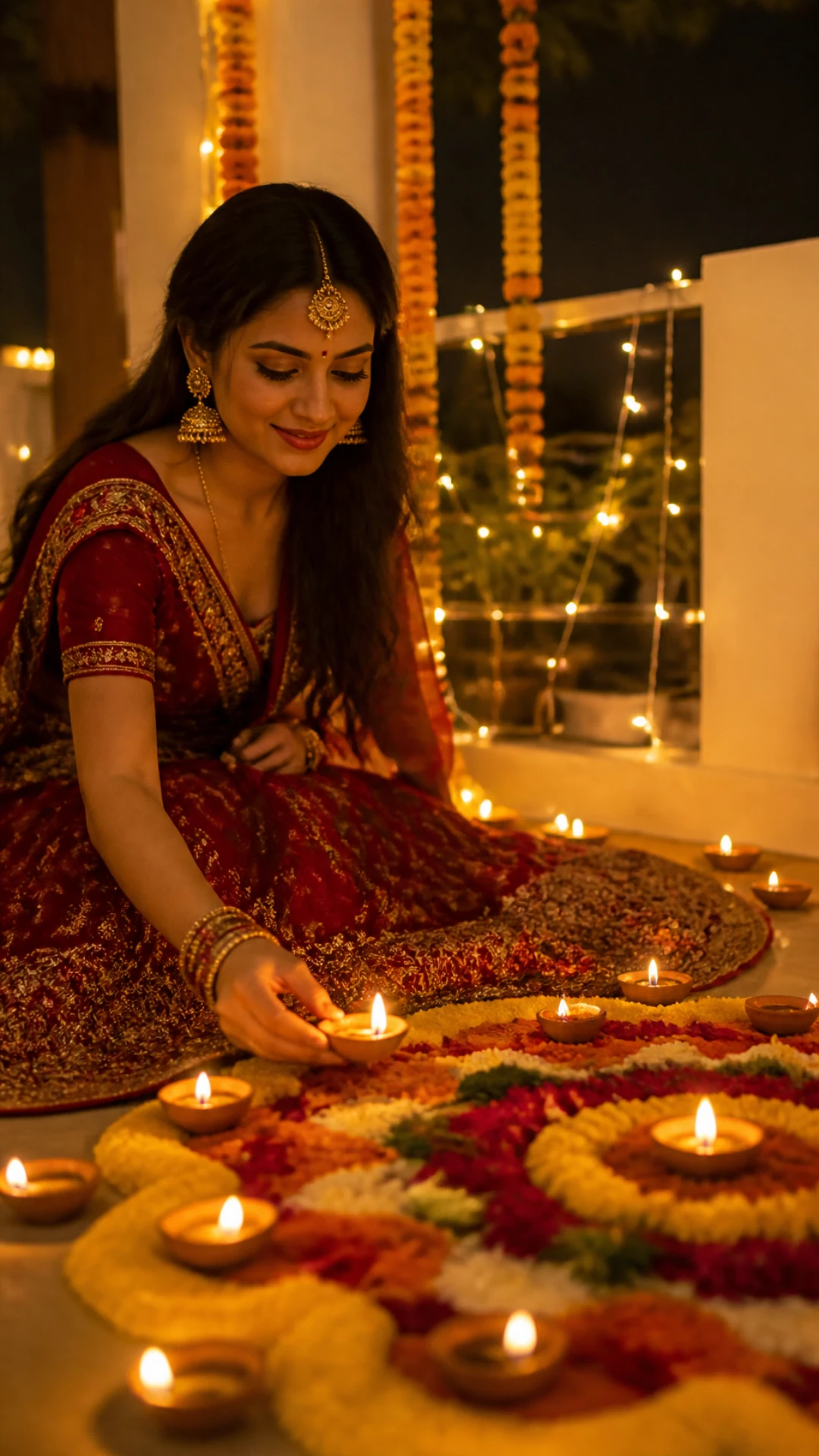
दीया और रंगोली पोर्ट्रेट
लाल लहंगे में फूलों की रंगोली पर दीया रखते हुए, चारों तरफ मोमबत्तियों की रोशनी।
{ "type": "Ultra-realistic festive portrait, Diwali night at home", "reference_image": "Use the uploaded photo as the identity reference. Keep the exact face, facial structure, skin tone, hairstyle and body proportions. Do not beautify, slim or change the face.", "subject": "Young woman sitting on the courtyard floor, gently placing a lit clay diya next to a round marigold and rose-petal rangoli, soft smile, eyes on the diya", "outfit": "Deep red embroidered lehenga with gold border, maang tikka, jhumkas and gold bangles", "lighting": "Dozens of diyas around her give warm golden candlelight from below; soft fairy lights behind", "background": "Marigold garlands, white walls, out-of-focus string lights", "camera": "50 mm portrait lens look, slightly above eye level, creamy bokeh", "format": "Vertical 9:16, 4K detail", "avoid": "No text, no logos, no watermark, no extra people, no distorted hands, no plastic skin, no cartoon look." }
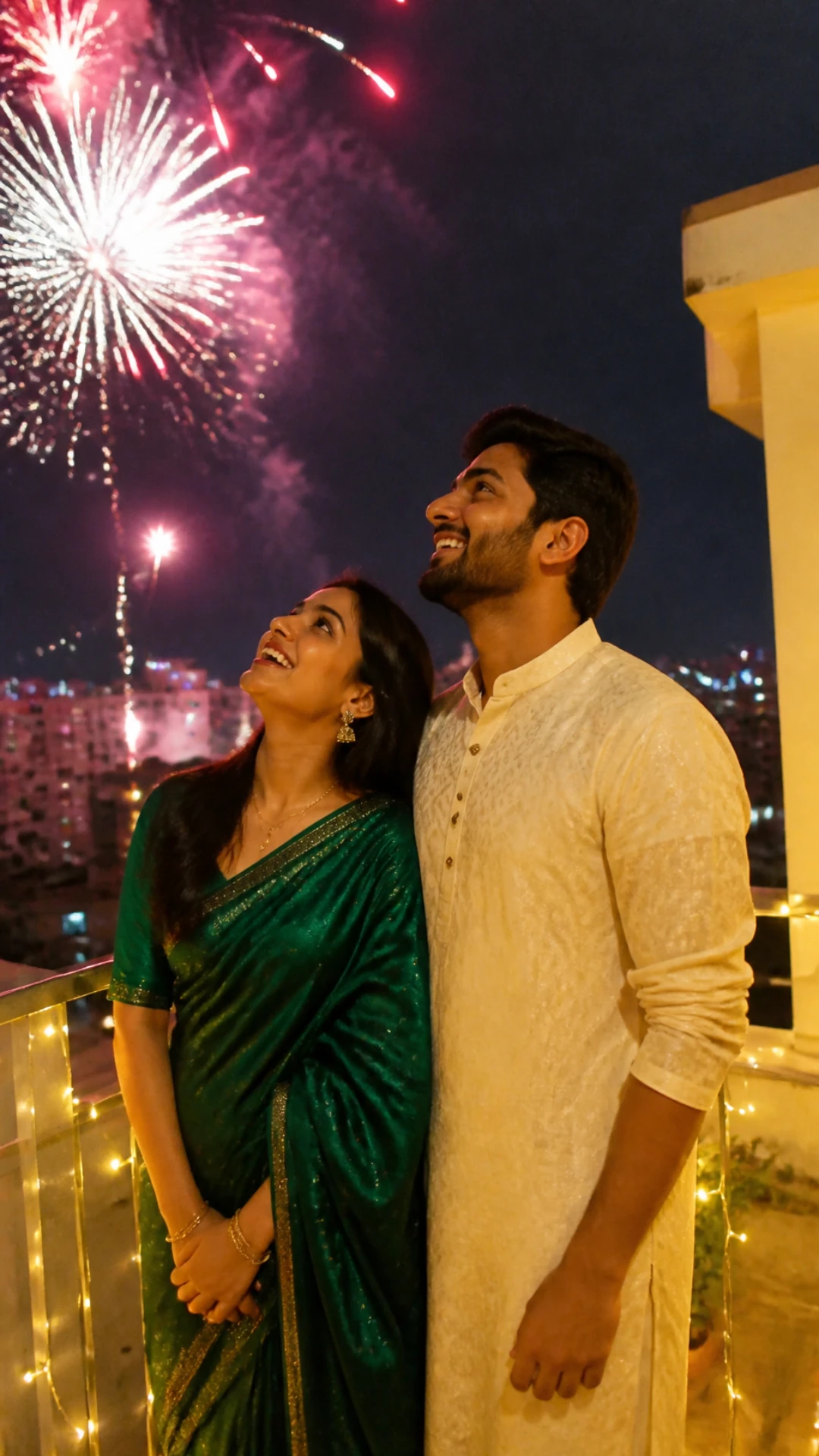
छत पर आतिशबाज़ी देखता कपल
छत पर ऊपर आतिशबाज़ी देखता कपल, रेलिंग पर फेयरी लाइट्स।
{ "type": "Ultra-realistic candid couple photograph, Diwali night", "reference_image": "Use the two uploaded photos as identity references for the two people. Keep both faces, skin tones, hairstyles and their height difference exactly. Do not beautify.", "subject": "Couple standing close together on a rooftop terrace, both smiling and looking up at colourful fireworks over the city", "outfit": "Woman in an emerald green silk saree; man in a cream chikankari kurta", "lighting": "Warm fairy lights wrapped on the railing light their faces; fireworks add pink and gold highlights", "background": "Night city skyline with fireworks bursting in the sky", "camera": "Phone camera look, low angle, natural grain", "format": "Vertical 9:16, 4K detail", "avoid": "No text, no logos, no watermark, no extra people, no distorted hands, no plastic skin, no cartoon look." }
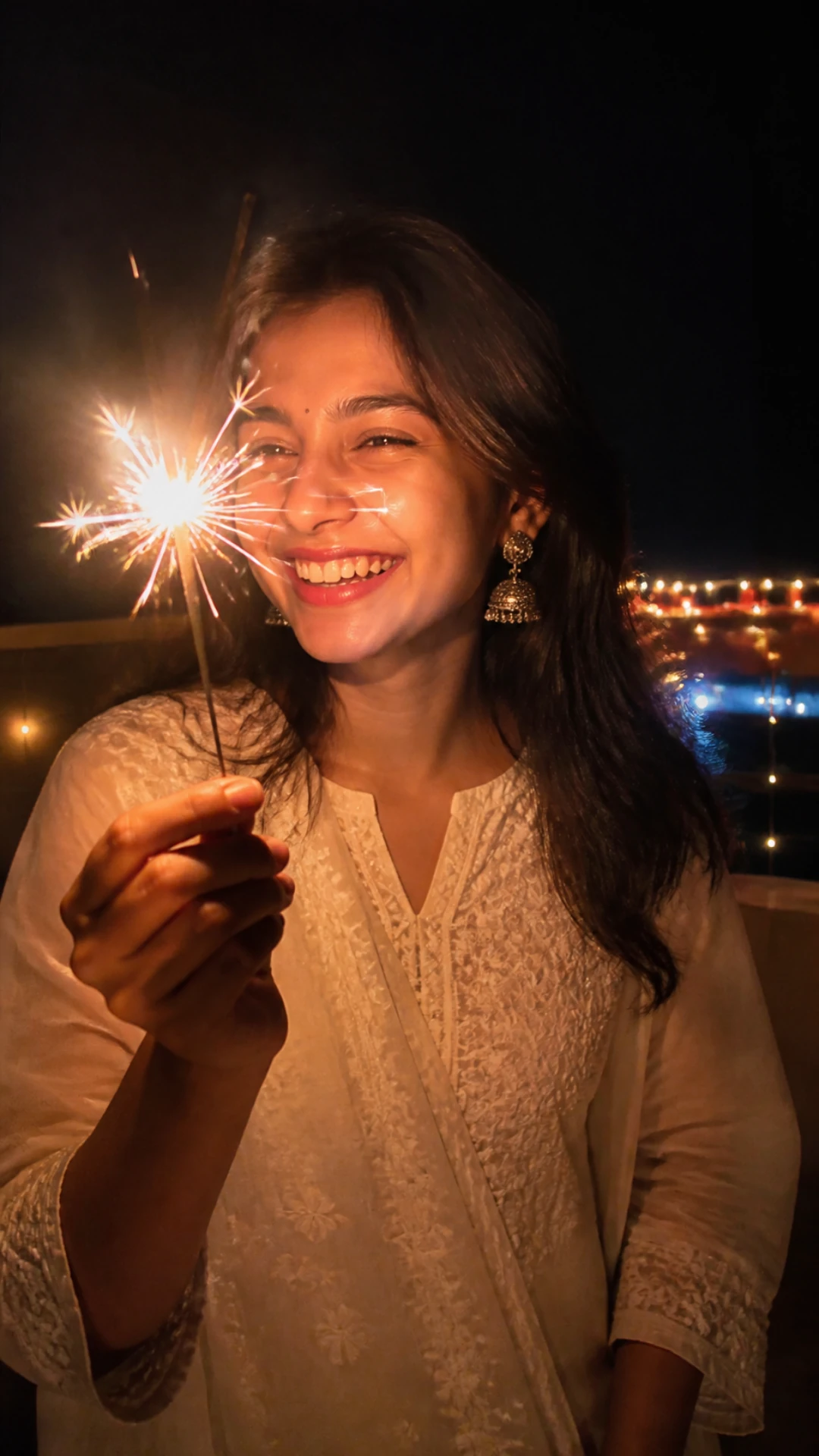
फुलझड़ी वाला क्लोज़-अप
हंसते चेहरे पर फुलझड़ी की रोशनी वाला क्लोज़-अप, प्रोफाइल फोटो के लिए एकदम सही।
{ "type": "Ultra-realistic close-up portrait, Diwali night", "reference_image": "Use the uploaded photo as the identity reference. Keep the exact face, facial structure, skin tone, hairstyle and body proportions. Do not beautify, slim or change the face.", "subject": "Young woman holding a burning sparkler (phuljhadi) near her face, laughing naturally", "outfit": "Ivory chikankari kurta, silver jhumkas", "lighting": "The sparkler is the only key light: bright warm sparks on one side of the face, soft falloff into shadow", "background": "Dark balcony with blurred city lights and a few diyas", "camera": "35 mm lens look, chest-up framing, slight motion trails on the sparks", "format": "Vertical 9:16, keep the face centred for a circular DP crop", "avoid": "No text, no logos, no watermark, no extra people, no distorted hands, no plastic skin, no cartoon look." }
दरवाज़े पर दीये जलाते हुए
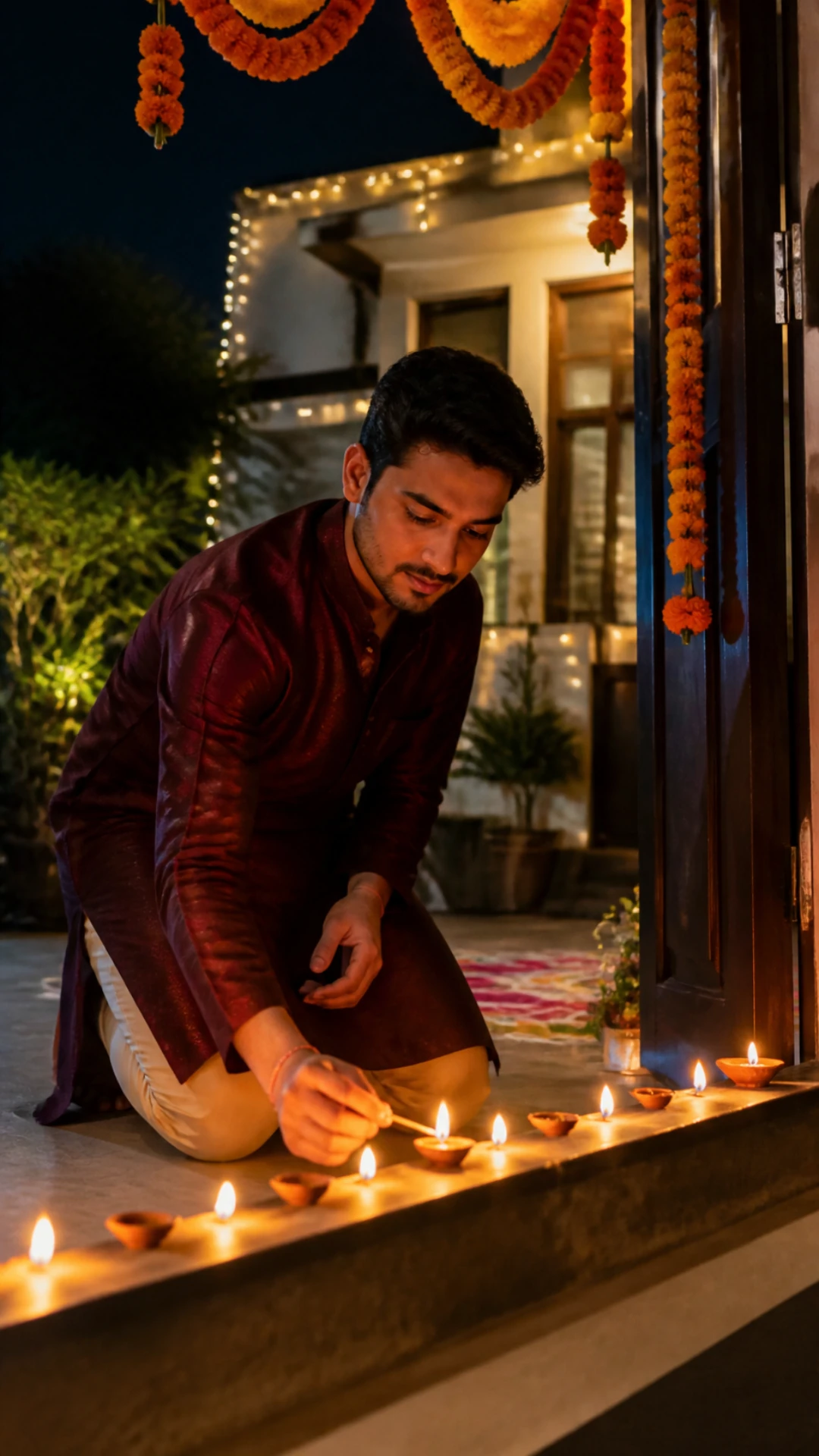
गेंदे के तोरण के नीचे घर के दरवाज़े पर बैठकर दीयों की कतार जलाते हुए।
{ "type": "Ultra-realistic festive photograph, Diwali evening", "reference_image": "Use the uploaded photo as the identity reference. Keep the exact face, facial structure, skin tone, hairstyle and body proportions. Do not beautify, slim or change the face.", "subject": "Young man kneeling at the doorstep of his house, lighting a row of clay diyas with a matchstick, calm focused expression", "outfit": "Maroon silk kurta with white pyjama", "lighting": "Flickering diya light on his face and hands; warm glow from the open door behind him", "background": "Marigold toran above the door, small rangoli at the entrance, fairy lights", "camera": "Phone camera look, eye level with the diyas, shallow depth of field", "format": "Vertical 9:16, 4K detail", "avoid": "No text, no logos, no watermark, no extra people, no distorted hands, no plastic skin, no cartoon look." }
परिवार के साथ लक्ष्मी पूजा
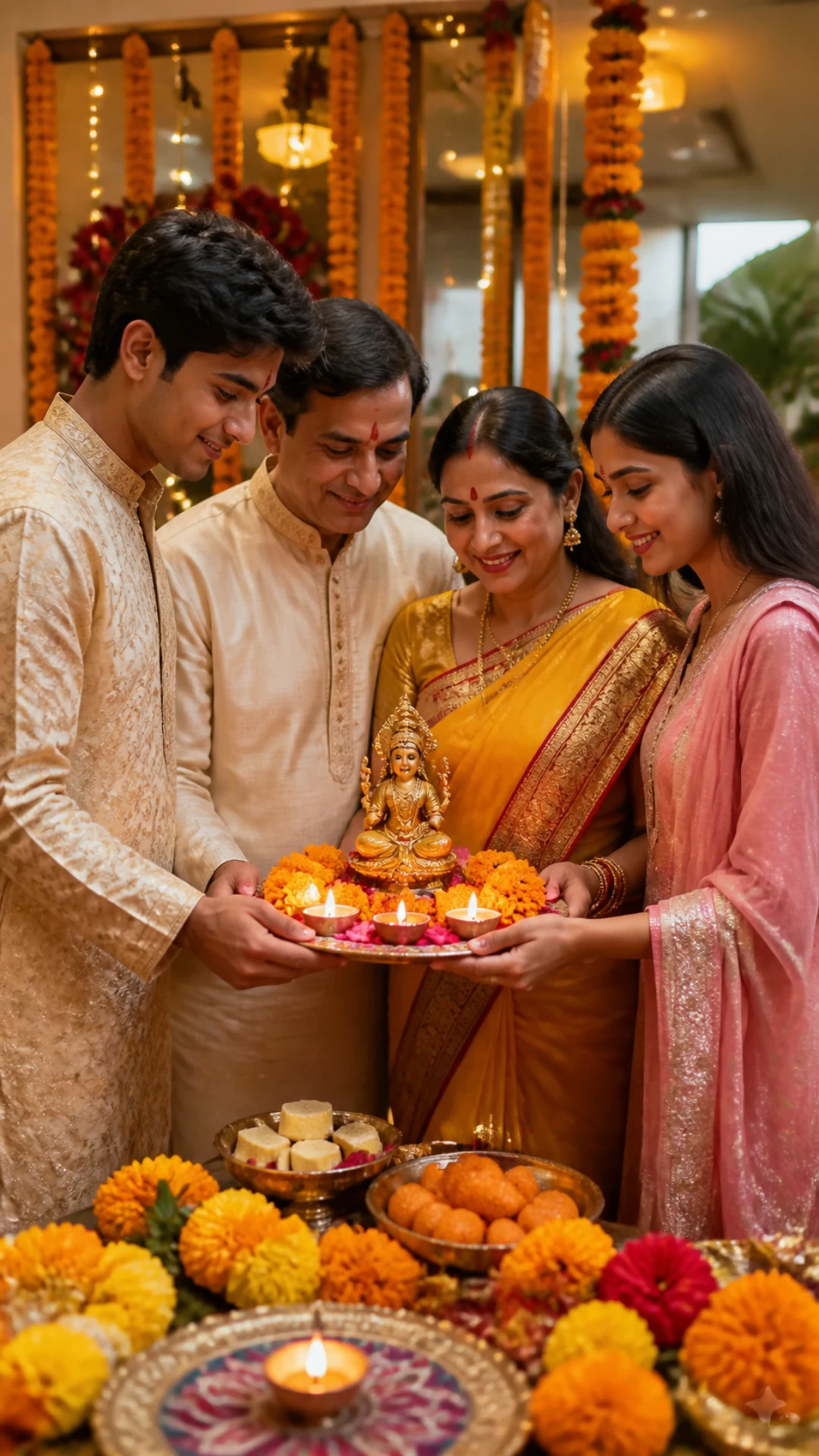
दीये की गरम रोशनी में सजी हुई पूजा की थाली के पास मम्मी-पापा और बच्चे।
{ "type": "Ultra-realistic family photograph, Diwali Lakshmi puja at home", "reference_image": "Use the uploaded family photo as the identity reference. Keep every face, skin tone, age and height exactly as in the photo. Do not add or remove people.", "subject": "Family standing together around a decorated puja thali with diyas, flowers and sweets, smiling naturally", "outfit": "Traditional festive clothes: sarees, kurtas and lehengas in warm colours", "lighting": "Warm golden lamp light from the diyas and a brass lamp", "background": "Home puja corner with marigold garlands and soft string lights", "camera": "35 mm lens look, eye level, everyone in sharp focus", "format": "Vertical 9:16, 4K detail", "avoid": "No text, no logos, no watermark, no extra people, no distorted hands, no plastic skin, no cartoon look." }
- सभी छह प्रॉम्प्ट फ्री हैं और ChatGPT व Google Gemini (Nano Banana) दोनों में चलते हैं।
- हर प्रॉम्प्ट में पहचान वाली एक लाइन है, ताकि AI आपका असली चेहरा वैसा ही रखे।
- हर प्रॉम्प्ट में रोशनी का एक मुख्य ज़रिया लिखा है (आतिशबाज़ी, दीये या फुलझड़ी), और यही फोटो को असली जैसी बनाता है।
- सभी प्रॉम्प्ट Instagram स्टोरी, रील्स और WhatsApp स्टेटस के लिए 9:16 वर्टिकल फ्रेम में सेट हैं।
दिवाली फोटो प्रॉम्प्ट की तुलना
| प्रॉम्प्ट | किसके लिए सही | मुख्य रोशनी | अपलोड के लिए फोटो |
|---|---|---|---|
| 1. अनार | लड़के, स्ट्रीट स्टाइल | पटाखों की चिंगारियां | 1 सोलो फोटो |
| 2. दीया और रंगोली | लड़कियां, ट्रेडिशनल | दीये | 1 सोलो फोटो |
| 3. छत पर कपल | कपल | फेयरी लाइट्स और आतिशबाज़ी | 2 फोटो, हर इंसान की एक |
| 4. फुलझड़ी वाला क्लोज़-अप | Instagram DP | फुलझड़ी | 1 क्लोज़-अप फोटो |
| 5. दरवाज़े पर दीये | लड़के, ट्रेडिशनल | दीये | 1 सोलो फोटो |
| 6. फैमिली पूजा | परिवार | दीये और पीतल का दीपक | 1 ग्रुप फोटो |
ChatGPT या Gemini से अपनी दिवाली फोटो कैसे एडिट करें
- अच्छी रोशनी वाली साफ फोटो चुनें, जिसमें चेहरा साफ दिखे और ढका न हो।
- ChatGPT या Google Gemini खोलें और नई चैट शुरू करें।
- अपनी फोटो अपलोड करें (कपल प्रॉम्प्ट के लिए दो फोटो, फैमिली प्रॉम्प्ट के लिए एक ग्रुप फोटो)।
- Copy prompt बटन से पूरा JSON प्रॉम्प्ट कॉपी करें और चैट में पेस्ट करें।
- भेज दें, फिर छोटे बदलाव मांगें, जैसे "make the lehenga gold" या "add more fireworks"।
- फोटो सबसे अच्छी क्वालिटी में डाउनलोड करें और दिवाली की रात से पहले पोस्ट कर दें।
दिवाली एडिट को और असली बनाने के टिप्स
- दिन की रोशनी में सामने से ली गई फोटो लें। अंधेरी या धुंधली सेल्फी में चेहरे की डिटेल खो जाती है।
- प्रॉम्प्ट में "reference_image" वाली लाइन रहने दें। चेहरा बदलने की सबसे बड़ी वजह इसे हटाना ही है।
- एक बार में सिर्फ एक चीज़ बदलें (आउटफिट, बैकग्राउंड या रोशनी), ताकि बाकी लुक वैसा ही रहे।
- अगर स्किन बहुत ज़्यादा चिकनी लगे, तो प्रॉम्प्ट में "visible skin pores and natural texture" जोड़ दें।
- कपल के लिए दोनों फोटो एक ही मैसेज में अपलोड करें, फिर प्रॉम्प्ट पेस्ट करें।
दिवाली फोटो के लिए AI क्यों इस्तेमाल करें
रात में दिवाली की अच्छी फोटो लेना मुश्किल है: अंधेरे में फोन का कैमरा साथ नहीं देता, पटाखे पल भर में बुझ जाते हैं और कोई न कोई पलक झपका ही देता है। AI फोटो एडिट ये सब ठीक कर देता है। चेहरा आपका असली रहता है, और रोशनी, आउटफिट और त्योहार वाला बैकग्राउंड प्रॉम्प्ट संभाल लेता है।
इससे आप वो लुक भी आज़मा सकते हैं जिनकी फोटो आसानी से नहीं खींची जा सकती, जैसे छत पर आतिशबाज़ी वाला सीन या पूरी रंगोली सजावट, वो भी एक मिनट से कम में और बिना फोटोग्राफर के।
निष्कर्ष
अपनी फोटो से मेल खाता प्रॉम्प्ट चुनें, चेहरे वाली लाइन रहने दें, और आउटफिट या रंग बदलकर उसे अपना बना लें। दिवाली की शुभकामनाएं!
त्योहार वाले और लुक के लिए हमारे दशहरा कपल फोटो प्रॉम्प्ट देखें, या Prompt Seen पर बाकी सारे स्टाइल भी देख लें।
दिवाली AI फोटो प्रॉम्प्ट: FAQ
क्या ये दिवाली AI फोटो प्रॉम्प्ट फ्री हैं?
हां। सभी छह प्रॉम्प्ट कॉपी और इस्तेमाल करने के लिए फ्री हैं। बस ChatGPT या Gemini का अकाउंट चाहिए।
क्या AI मेरा चेहरा वैसा ही रखेगा?
हर प्रॉम्प्ट AI से आपका चेहरा, स्किन टोन और हेयरस्टाइल बिल्कुल वैसा ही रखने को कहता है। सबसे मिलता-जुलता नतीजा पाने के लिए सामने से ली गई साफ फोटो लें।
क्या ये प्रॉम्प्ट Gemini Nano Banana में काम करते हैं?
हां। Gemini में अपनी फोटो अपलोड करें, प्रॉम्प्ट पेस्ट करें और भेज दें। JSON फॉर्मेट Gemini और ChatGPT दोनों में काम करता है।
क्या मैं फोटो अपलोड किए बिना ये प्रॉम्प्ट इस्तेमाल कर सकता हूं?
हां। reference_image वाली लाइन हटा दें, AI उसी दिवाली सीन में एक नया इंसान बना देगा।
2026 में दिवाली कब है?
दिवाली (लक्ष्मी पूजा) रविवार, 8 नवंबर 2026 को है।